Property management phone system tools: 7 best QuorumVoice alternatives
Compare 7 QuorumVoice alternatives to find the best property management phone system for call routing, shared inbox, SMS, and CRM integration.
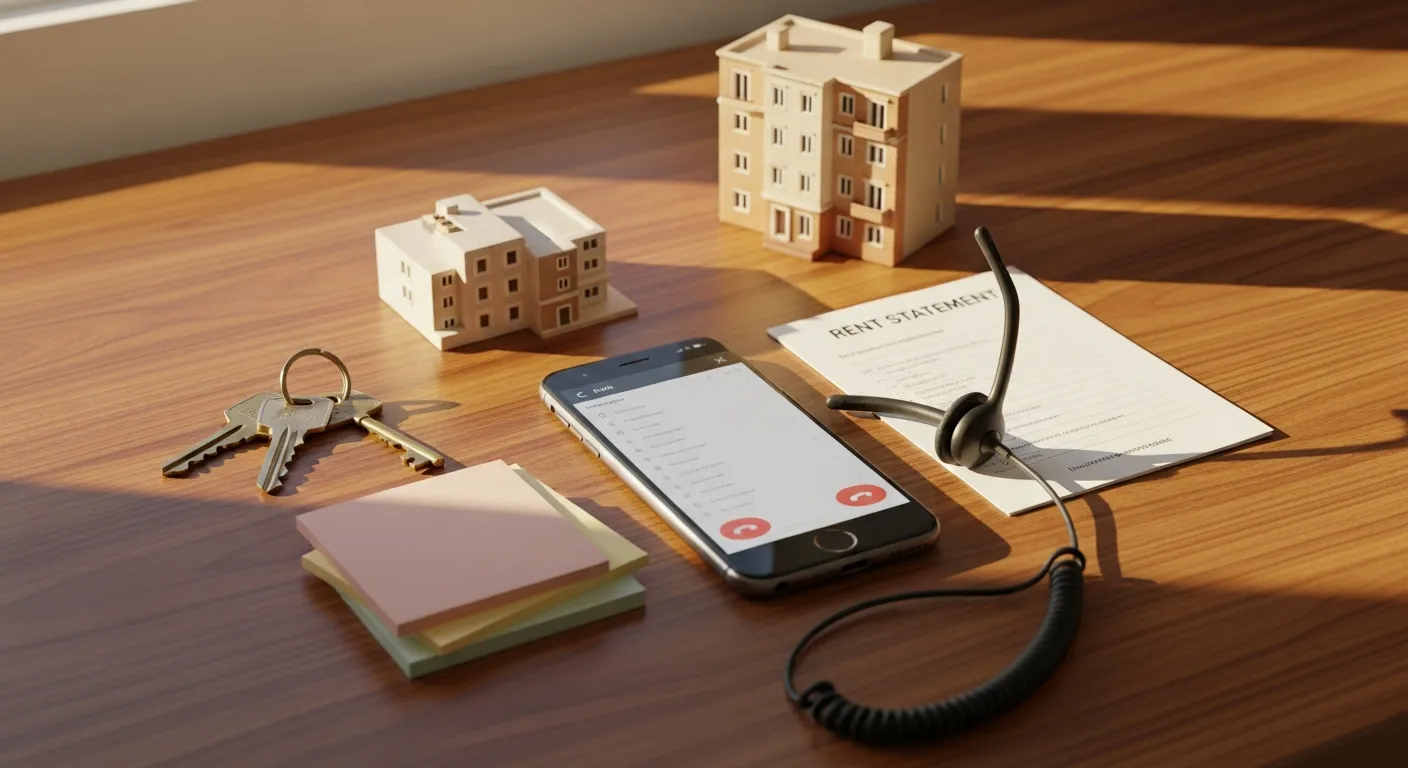
Choosing a property management phone system means deciding how your team handles calls, texts, voicemail, and conversation records every day. The right system routes tenants and owners to the right person, captures after-hours requests, and keeps a searchable history of every interaction — without staff digging through personal phones or separate apps. This guide compares QuorumVoice and seven alternatives across the features property managers actually need: VoIP for property managers, call routing for property management, shared inbox, after-hours coverage, CRM integration, and TCPA-compliant SMS.
What to look for in a property management phone system
- Call routing for property management: Callers need to reach leasing, maintenance, or accounts without bouncing around. Multi-property routing based on time and caller type is a baseline requirement. See call routing strategies for property managers for a deeper look.
- After-hours call handling: Maintenance emergencies don't stop at 5 p.m. A good system uses an auto-attendant or voicemail-to-email to capture requests and escalate urgencies without a live person on duty.
- Shared inbox for property management: When multiple staff cover the same main number or SMS thread, a shared inbox prevents duplicate replies and dropped handoffs.
- CRM and call log integration: Every call, voicemail, and text should link to a resident or owner record automatically. Manual logging creates gaps and opens you to liability.
- TCPA compliance and SMS opt-in: Bulk texts require documented opt-in. Call recording requires consent disclosures that vary by state. See the compliance section below before rolling out any system.
- Verified pricing: Entry-level costs range from $10/user/month (Google Voice) to $30–$60+/user/month for full-featured cloud VoIP platforms.
Quick comparison: property management phone systems at a glance
| Tool | Best for | Starting price | VoIP / cloud | Standout feature | After-hours coverage |
|---|---|---|---|---|---|
| QuorumVoice | Full conversation history across calls, SMS, voicemail, email | Contact vendor | Cloud | Per-contact communication timeline + CRM sync | Voicemail capture, SMS logging |
| RingCentral | Larger teams needing phone, video, and messaging together | ~$20/user/month (Core) | Cloud VoIP | Unified communications suite | Auto-attendant, call forwarding |
| Nextiva | Traditional phone-first offices | ~$18/user/month (Digital) | Cloud VoIP | Reliable business phone with CRM add-ons | Auto-attendant, voicemail-to-email |
| Dialpad | Teams wanting AI transcription and call coaching | ~$15/user/month (Standard) | Cloud VoIP | Live transcription and call analysis | Auto-attendant, voicemail transcription |
| Quo | Small teams that text tenants and vendors all day | $19/user/month | Cloud | Shared inbox for calls and texts | Shared inbox coverage |
| Aircall | CRM-heavy leasing and support teams | ~$30/user/month (Essentials) | Cloud VoIP | Fast setup, strong CRM integrations | Business hours routing, voicemail |
| CloudTalk | High call volume with complex routing needs | ~$25/user/month (Starter) | Cloud VoIP / hosted PBX | Advanced call routing and queues | IVR, after-hours routing rules |
| Google Voice | Solo managers or very small offices on a tight budget | $10/user/month (Starter) | Cloud VoIP | Low-cost business number with basic voicemail | Voicemail forwarding only |
Pricing sourced from published vendor pages as of mid-2025. Confirm current rates directly with each vendor, as tiers and bundles change frequently.
QuorumVoice
Best for property managers who need a complete, searchable record of every call, text, voicemail, and email tied to each contact.
QuorumVoice captures, transcribes, categorizes, and logs inbound and outbound calls, voicemails, SMS, and email, then links each interaction to a per-contact timeline and your CRM. Resident requests, maintenance issues, leasing follow-ups, and vendor calls all live in one shared history. Teams using it alongside a shared inbox workflow report fewer missed handoffs because any staff member can see what was said and who responded last.
Strengths: Logs calls, voicemail, SMS, and email in one per-contact record; supports staff accountability with a clear conversation trail; links communication to CRM records.
Limitations: Not a traditional desk-phone bundle; teams needing only basic calling may find the feature depth excessive.
Pricing: Contact vendor.
RingCentral
Best for larger offices that want one cloud VoIP platform for calls, video meetings, and team messaging.
RingCentral handles overflow calls across leasing, maintenance, and admin with a shared business line and consistent routing. Its auto-attendant and call forwarding cover after-hours gaps. Published pricing starts around $20/user/month for the Core plan.
Strengths: Wide feature set (video, chat, fax); works well for distributed multi-site teams; auto-attendant included.
Limitations: Can feel heavy for small offices; full analytics and CRM sync require higher-tier plans.
Pricing: From ~$20/user/month (Core).
Nextiva
Best for property management offices that want stable VoIP with routing and voicemail at a moderate price.
Nextiva covers extensions, voicemail-to-email, auto-attendant, and basic CRM options at around $18/user/month. For a detailed tier breakdown, see our phone system price comparison.
Strengths: Broad standard phone features at a moderate price; voicemail-to-email and auto-attendant on most plans.
Limitations: Limited multi-channel logging and shared inbox compared with text-first tools.
Pricing: From ~$18/user/month (Digital).
Dialpad
Best for teams that want live call transcription and coaching built into their phone system.
Dialpad transcribes calls as they happen and flags action items, letting managers skim a transcript to confirm a rent quote or lease term instead of replaying audio. Voicemail transcription helps morning staff triage overnight messages quickly. Published pricing starts at ~$15/user/month.
Strengths: Live transcription speeds up call review; voicemail transcription surfaces after-hours requests; good for staff coaching.
Limitations: Less focused on shared inbox for SMS and email; transcription accuracy can vary with accents or background noise.
Pricing: From ~$15/user/month (Standard).
Quo
Best for small teams that spend most of their day texting tenants and vendors.
Quo's shared inbox keeps SMS threads, call notes, and tags in one place at $19/user/month. Staff can see who last replied and what was promised, reducing duplicate responses and dropped handoffs.
Strengths: Shared inbox for calls and texts with thread tagging; simple collaboration around a main business number.
Limitations: Does not log email alongside calls and texts the way QuorumVoice does; limited for larger offices needing call analytics.
Pricing: $19/user/month.
Aircall
Best for property managers who want CRM-connected calling and fast cloud VoIP deployment.
Aircall connects to most major CRMs and property management platforms, logging call activity against contact records without manual entry. Published pricing starts around $30/user/month for the Essentials plan.
Strengths: Fast to set up; strong CRM integrations keep call history inside leasing software; business-hours routing and voicemail included.
Limitations: Does not provide multi-channel logging (SMS + email + calls) like QuorumVoice; full reporting requires higher tiers.
Pricing: From ~$30/user/month (Essentials).
CloudTalk
Best for high-volume offices with complex routing across multiple properties or departments.
CloudTalk functions as a hosted PBX with flexible IVR routing. You can route by time of day, caller type, and property — sending after-hours calls to an on-call line automatically. Published pricing starts around $25/user/month. For routing logic guidance, see the HOA call routing playbook for busy office managers.
Strengths: Flexible IVR and queue routing for multiple caller types; after-hours rules redirect automatically; handles high call volume well.
Limitations: More configuration overhead than small offices need; not suited for teams whose main need is shared SMS handling.
Pricing: From ~$25/user/month (Starter).
Google Voice
Best for solo property managers or very small offices on a minimal budget.
Google Voice for Business starts at $10/user/month and covers calling, voicemail forwarding, and a separate business number. It lacks advanced routing, shared inbox, and CRM sync, but works as a practical starting point before call volume justifies a full platform.
Strengths: Lowest entry price on this list; simple setup with no hardware; keeps personal and business numbers separate.
Limitations: No shared inbox, limited CRM integrations, not built for TCPA-compliant bulk SMS or call routing rules.
Pricing: $10/user/month (Starter).
After-hours call handling for property management
Maintenance emergencies, lockouts, and lease questions arrive outside office hours. Most cloud VoIP platforms address this through three approaches:
- Auto-attendant routing: Callers hear a menu — emergency calls press 1 and reach an on-call line; non-urgent calls press 2 and go to voicemail. RingCentral, CloudTalk, and Nextiva all support time-based rules that switch automatically.
- Voicemail-to-email: After-hours voicemails are transcribed and emailed to the on-call manager. Dialpad and QuorumVoice both offer transcription so staff can read a message without listening to audio.
- Missed call text back: Some platforms automatically send a text when a call goes unanswered after hours, confirming receipt and setting callback expectations — reducing repeat calls from tenants.
A sample auto-attendant script: You've reached Sunrise Property Management. Our office is closed. For maintenance emergencies, press 1. To leave a message for the leasing team, press 2. For all other inquiries, press 3 or call back during business hours, Monday through Friday, 9 a.m. to 5 p.m.
Document your after-hours greeting scripts and test routing monthly. A misconfigured after-hours rule is one of the most common sources of missed maintenance calls.
TCPA compliance and call recording laws for property managers
TCPA compliance: The Telephone Consumer Protection Act requires documented opt-in before sending bulk or automated texts to tenants. An SMS opt-in example: By providing your mobile number, you agree to receive texts from [Property Name] about your tenancy, including maintenance updates and notices. Reply STOP to opt out. Store these opt-ins in your CRM. See our guide to SMS compliance for property managers for a detailed walkthrough.
Call recording laws: Some states (California, Illinois, Florida, and others) require all-party consent before recording a call; others require only one-party consent. A standard disclosure — This call may be recorded for quality and training purposes — covers most one-party states, but all-party states require affirmative consent. See the state of recording compliance across city and county offices for a state-by-state reference.
Before recording tenant calls or sending bulk SMS, confirm your state's consent requirements and document SMS opt-in for every contact. Fines for TCPA violations can reach $500–$1,500 per message.
Head-to-head by use case
Apartment complex with high leasing call volume
CloudTalk or Aircall. CloudTalk handles queue routing during peak season; Aircall logs every call against the prospect's CRM record automatically, reducing data-entry burden and speeding follow-up.
HOA or community association with after-hours emergencies
QuorumVoice or CloudTalk. QuorumVoice logs every interaction to a per-contact timeline, creating an auditable record of what was communicated and when. CloudTalk handles routing — sending after-hours calls to an on-call line or transcribed voicemail. See our guide to phone systems for HOA management teams for more detail.
Small office that texts tenants all day
Quo or QuorumVoice. Quo's shared inbox is purpose-built for SMS-heavy teams at a low per-seat cost. QuorumVoice suits teams that need texts logged alongside calls and emails — useful when disputes or audit trails matter.
Solo manager on a tight budget
Google Voice. At $10/user/month it provides a separate business number and basic voicemail with no hardware. Straightforward to migrate to a full platform when call volume grows.
How to choose the right property management phone system
Start with your team's biggest communication failure and match it to a tool category:
- Missed calls and no after-hours coverage: Prioritize auto-attendant routing and voicemail-to-email. CloudTalk, RingCentral, and Nextiva handle this well.
- Lost context between staff: Quo covers SMS; QuorumVoice covers calls, SMS, voicemail, and email together.
- No record of what was promised: Dialpad or QuorumVoice for call recording and transcription.
- High call volume with complex routing: CloudTalk's hosted PBX and queue management are built for this.
- CRM disconnect: Aircall or RingCentral, depending on platform and team size.
- Budget under $15/user/month: Dialpad Standard for transcription, Google Voice for a basic business number.
Frequently asked questions
What is the best phone system for a property management company?
It depends on team size and workflow. QuorumVoice suits teams needing full conversation history across channels. CloudTalk fits high-volume multi-property routing. Aircall works for CRM-connected leasing teams. Google Voice covers solo operators on a minimal budget.
How do property managers handle after-hours calls?
Most cloud phone systems use auto-attendants or time-based routing to direct after-hours calls to an on-call line or voicemail-to-email. Some workflows add a missed call text back that confirms receipt and sets callback expectations automatically.
What VoIP features matter most for property managers?
Call routing (including after-hours rules), voicemail transcription, shared inbox or call queue, CRM integration, and TCPA-compliant SMS. Call recording is common but requires state-specific consent disclosures.
Does a property manager need a separate business phone number?
Yes. Using a personal number creates privacy issues, prevents shared staff coverage, and leaves no auditable record. Even a basic cloud VoIP line at $10–$15/user/month solves all three problems.
How do I set up call routing for multiple properties?
Assign a unique number or extension to each property, build an IVR menu that routes by caller need, and set after-hours rules to redirect to an on-call line or voicemail. See call routing strategies for property managers for a step-by-step workflow.
What is the difference between VoIP and a traditional business phone system?
Traditional systems use physical lines and on-site PBX hardware. VoIP routes calls over the internet, letting staff use desk phones, computers, or mobile apps interchangeably — with no hardware cost and support for remote or multi-location teams.
How much does a property management phone system cost?
Entry-level cloud VoIP starts at $10/user/month (Google Voice). Mid-range platforms with routing, shared inbox, and CRM integration typically run $18–$30/user/month (Nextiva, Dialpad, Aircall). Full conversation intelligence platforms like QuorumVoice are priced on request. Add setup fees and hardware costs to your total estimate.
For most property management teams, the right system closes your biggest daily gap — missed after-hours calls, lost conversation context, or manual logging. QuorumVoice stands out for teams needing a full communication record across every channel. Quo suits smaller text-heavy offices. CloudTalk handles complex routing. Google Voice covers the leanest budgets. Start with the failure you feel most often, match it to a tool category from this guide, and trial two or three options before committing to a full rollout.
Written by

Derrick Threatt is an AI Automation Engineer and marketing operations leader who builds AI-driven systems, automations, and data workflows to improve revenue, operations, and team productivity.
View all posts →Keep reading.
QuorumVoice for property managers
A line per community, one team inbox, and after-hours answering.
See the page →QuorumVoice vs Smith.ai
A sourced side-by-side of Smith.ai and QuorumVoice: channels, AI and pricing.
Read the comparison →QuorumVoice vs Quo
A sourced side-by-side of Quo and QuorumVoice: channels, AI and pricing.
Read the comparison →
How to Contact Your HOA (and What to Do When Nobody Answers)
Not sure who runs your HOA or how to reach them? Here's how to find the right contact, what Texas law requires your association to publish, and what to do when nobody calls back.

HOA Payment Plans in Texas: What Homeowners Can Ask For
Behind on HOA dues? In Texas, most associations must offer an alternative payment schedule of at least three months. Here's what the law says, the exceptions, and how to ask.

5 After-Hours Answering Services for HOA and Property Managers to Consider
Weekend emergencies swamp HOA offices with no clear record of what got handled. Here are 5 after-hours answering options and how to evaluate them.