Help Center
A little help for the work ahead.
From your first phone number to your next conversation. Find your way around QuorumVoice, on desktop and mobile.
Getting Started
What happens after I sign up?
A setup wizard walks you through choosing a plan, naming your organization, the business details carriers need, a contact person for the account, and your first phone number. Your answers save as you go, so you can stop and come back. The last step is a review screen before anything is created.
What do I need on hand to finish setup?
Your legal business name, your website and your business address. On a plan that includes texting you also need your EIN, your industry and a description of the texts you send — carriers require all of that to register you. If you are bringing an existing number, have a recent bill for it handy.
Should I get a new number or bring my own?
Either works. Pick a new local number by city, state or area code during setup, or choose “Transfer my number” and we check it can be moved before you commit. A transfer gives you a temporary number to work from immediately, so you are never without a line.
How do I add another phone number later?
Go to Settings → Phone and open the Add Number tab. Search by area code, pick from the available numbers and provision it — it is live for inbound calls right away. Starter includes 1 number, Pro includes 3 numbers and Portfolio includes 10 numbers, so you will see an upgrade prompt instead of the search once you reach your plan’s limit.
How do I invite team members?
Go to Settings → Members and use the invite form at the bottom. Enter their email address and pick a role of Admin, Member or Viewer, and they get a link to join your organization. You can copy, resend or revoke a pending invite from the same page.
What should I set up first?
Decide how your main line answers in Settings → Phone, then connect the mailbox your team already works from in Settings → Email. If your plan includes Quill Concierge, fill the knowledge base next so it has your own answers to work from.
Phone Numbers & Porting
How do I forward my existing number?
You have two choices. Transfer the number to QuorumVoice so it rings here directly, or leave it where it is and point its call forwarding at your QuorumVoice number. Forwarding is a setting at your current provider, so you make that change in their system, not ours.
How do I transfer a number I already have?
Go to Settings → Phone and open “Bring a number.” Enter the number and we check whether it can be transferred and what it costs. If it can, you fill in your current provider, the account holder name, the account number and PIN, the service address on the account, and upload a recent bill.
How long does a transfer take, and what will I see?
Local numbers usually take five to ten business days. The card in Settings → Phone shows “Needs your signature,” then “In progress,” then the date your carrier scheduled the switch for, then done. Toll-free numbers move as a RespOrg change, which takes longer and is reviewed by hand.
Will my phone stop working during the transfer?
No. Your current service stays on until the day of the switch, and the temporary QuorumVoice number works the whole time. Do not cancel your old service early — cancelling releases the number and the transfer fails.
Why was my transfer rejected?
Almost always because a detail did not match what your losing carrier has on file. The account holder name, account number, PIN and service address have to match their records exactly, even where their records are out of date. Correct the detail and start the transfer again.
How do I get a toll-free number?
Toll-free lines are set up by hand today. Start the request from Settings → Phone and our team reaches out within one business day to finish it. Toll-free is a paid add-on and is added to your subscription when the line goes live.
Call Routing & Hours
What are my options for how a line answers?
Each number uses one of four modes, set in Settings → Phone: Queue rings your team in order and ends at voicemail, Direct Dial sends every call to one person, IVR Menu plays a phone menu, and Quill Concierge has the AI answer first on Pro and Portfolio. Every number is configured separately.
How does the ring order work?
Teammates ring one after another in the order you set, with a per-person timeout you can set anywhere from 10 to 60 seconds. Every device that person is signed in on rings at the same time, and the first one answered takes the call. If nobody answers, the caller goes to voicemail and the voicemail is transcribed into your inbox.
Why can’t I add someone to the ring order?
A teammate can only be added once they have a personal phone number on their profile, because the ring order needs somewhere to reach them. Add it from Settings → Members by editing that person, or ask them to add it in their own profile.
What is a queue, and is it a waiting line?
A queue is a department such as Maintenance or Billing, with its own subscribers and notification settings. It does not hold callers in a line. It describes who covers that kind of work, which is what a phone-menu option and a loose end get assigned to.
How do I set my working hours?
Hours live per subscription, not per line. In Settings → My Queues, pick your timezone and set a start and end time for each day of a queue you answer. Owners and admins can set the same hours for anyone else from Settings → Members or the queue’s subscribers panel.
What happens if I leave my hours empty?
It depends which hours. An empty queue subscription means you are on all the time, 24/7. Empty Direct Transfer availability means the opposite: Quill will never connect a caller who asks for you by name. Set explicit hours for whichever way you want to be reached.
Quill Concierge
What is Quill Concierge?
Quill Concierge answers your phone for the people who call you. It picks up, works out what the caller needs, answers from your knowledge base, takes a message in the caller’s own words, and transfers to a person when a person is the right answer. Every call it handles is still recorded, transcribed and filed to the caller’s timeline. It is available on Pro and Portfolio.
How do I turn Quill on for a line?
Go to Settings → Phone, choose the number, and set its call routing to Quill Concierge. From there you set the line it opens with, its voice, and whether it answers from your knowledge base, offers to transfer, and asks callers to rate the call. You can try it from the same card with “Test in browser” or “Test by phone.”
Does Quill know who is calling?
Yes. It matches the caller to their contact record, reads their recent history with your team, and remembers details they have shared on earlier calls. A returning caller is greeted by name rather than treated like a stranger.
Will Quill give account details to anyone who calls?
No. Before sharing anything specific to someone’s account, Quill texts a one-time code to the number on file and waits for the caller to read it back. Callers already verified on their contact record are recognized without it.
Can Quill transfer a call to a person?
Yes. It can check whether a department or a named teammate is available before ringing anyone, then transfer by name, by department, or to whoever is free. The caller hears ringback while it rings, and if nobody picks up Quill comes back on the line and takes a message.
What happens when Quill doesn’t know the answer?
It says so plainly and offers to take a message. The question then lands at the top of your knowledge base under “Needs an answer,” with who asked and how they asked, and often a draft answer built from your site and existing entries. Answer it once and Quill has it on the next call.
Does Quill answer text messages too?
On Pro and Portfolio, the same front desk can reply to inbound texts using the knowledge base and rules it uses on calls. Its first reply says it is an automated assistant, it hands the conversation to your team when it should, and it steps back once a teammate replies. Its replies count toward your normal texting allowance. Email support to switch it on for your lines.
Do Quill minutes come out of my call minutes?
No. Concierge minutes are their own monthly bucket and do not drain your plan’s call minutes. Pro includes 200 Concierge minutes a month and Portfolio includes 600 Concierge minutes a month, counted by calendar month, and minutes past that bill at $0.30 a minute.
Quill Assistant
What is Quill Assistant, and how is it different from Concierge?
Concierge faces outward: it answers the people who call and text you. Assistant faces inward: it answers your team’s questions about those conversations. Ask it something in plain English and it reads your own calls, texts, emails, meetings, contacts and loose ends to answer.
What can I ask it?
Anything that came through QuorumVoice: what a caller wanted last week, which conversations were about billing, who is still waiting on a reply, how busy Fridays are, or what your knowledge base says about a rule. You can @mention a specific record to point it at one thing, or paste a photo for it to look at.
Can Quill Assistant change anything, or see things I can’t?
Neither. Every one of its tools is read-only — it never sends a message, edits a record or closes a loose end on your behalf. And every lookup runs as you, against your own organization’s records, so it sees exactly what your account sees and nothing more.
How do I know an answer is right?
Each claim carries a receipt — a pill that links to the call, text, email or meeting it came from. Hover it to preview the record, click it to open it. Citations that no lookup actually returned are stripped out before you see the answer.
How many questions can I ask?
Quill Assistant is included on every plan with a monthly allowance counted by calendar month. Starter includes 20 answers a month, Pro includes 300 answers a month and Portfolio includes 1,000 answers a month. Past the allowance, answers bill at $0.20 an answer. On Starter, questions stop until the next month rather than billing extra. You can see where you stand in Settings → Usage.
How long are my conversations with Quill kept?
Your threads are yours alone — no one else on your team can read them — and they are deleted six months after the last message in them, along with any photos you attached.
Knowledge Base
What can I put in the knowledge base?
Three kinds of knowledge in one list. Entries you type as a question and an answer under your own categories; documents you upload as PDF, Word or text files up to 50 MB, read into labeled sections; and your website, crawled a page, a section or the whole site at a time. Documents are available on Pro and Portfolio.
Can it read a scanned PDF?
Yes. Text PDFs are read directly and scanned pages go through OCR. Word files keep their own numbering, so “Section 2.5” is still Section 2.5 when Quill quotes it, and running headers, page numbers and tables of contents are stripped out before the document is split into sections.
How does Quill answer from a document on a call?
It searches your entries, documents and website by meaning rather than exact words, then answers from what it found and says where it came from — “your CC&Rs, section 4.2, say…”. It keeps to what the document actually says; a dispute, an exception or an appeal becomes a message for your team.
Can I keep some answers for verified callers only?
Yes. Mark an entry or a document “Verified accounts only” and Quill shares it only with callers whose account is verified. Anyone else is told it can share that once they are verified, and Quill offers to verify them there and then.
Can I make Quill quote something word for word?
Yes. Turn on “Read it word for word” for an entry or a document and Quill quotes the wording exactly instead of paraphrasing it. It is worth using where the wording is the answer: a rule, a definition or a deadline.
How does the knowledge base stay current?
When you add a website you choose whether it refreshes daily, weekly, monthly or only when you say so, and how much of it to crawl — one page, one section or the whole site. Only changed pages are re-read, and replacing a document leaves no gap because Quill keeps answering from the current version until the new one is ready. Owners and admins edit the knowledge base; everyone can read and search it, and every change is logged with who made it.
Unified Inbox & Contacts
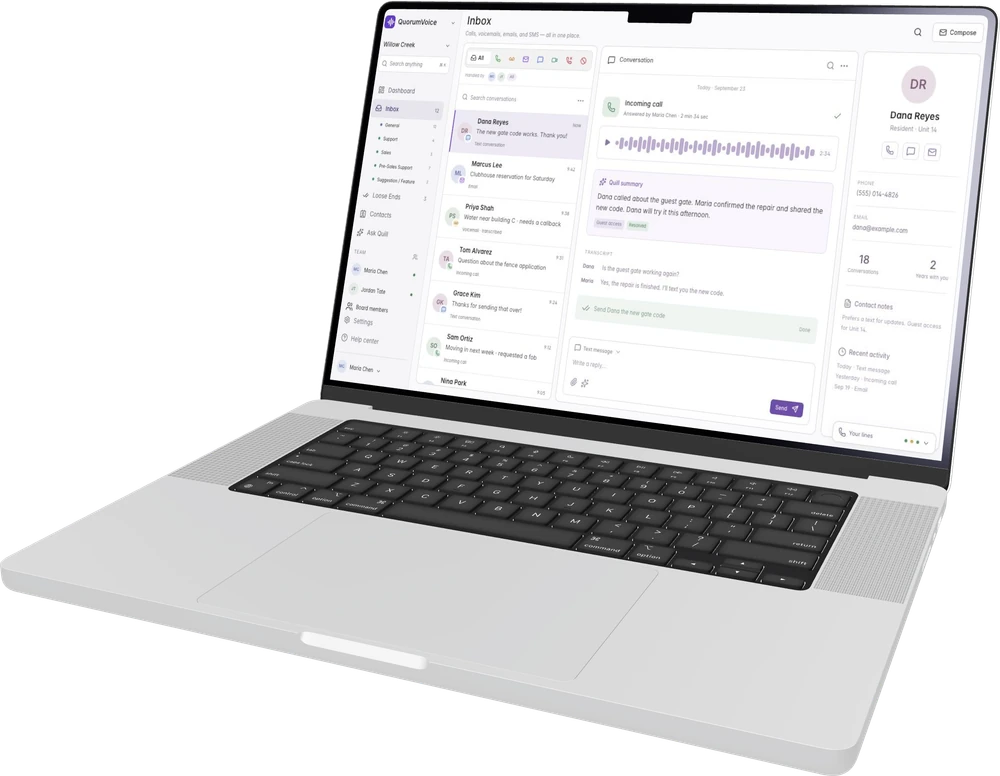
What lands in the inbox?
Calls and voicemails arrive on your QuorumVoice numbers. Connected Gmail and Outlook email is included on every plan. Texting is included on Pro and Portfolio and meeting recordings on Pro and Portfolio. Everything files to the person behind it, so one timeline holds the whole history with someone across every channel.
Is every call recorded and transcribed?
Calls and voicemails on your business lines are recorded, transcribed and summarized, and a recording notice plays before the call connects. Processing runs after the call ends, so a transcript takes a little while to appear. Calls between teammates are private and are never recorded or transcribed.
How do I narrow the inbox down?
The tabs across the top are All, Calls, VM, Email, SMS, Meet, Missed and Blocked. Below them you can scope to one queue, or to what specific teammates handled by picking their faces. Each conversation also shows who handled it and which teammates have already read it.
How do I search?
Press Cmd+K, or use the search box in the top bar, and type at least three characters. Search matches both words and meaning, so “gate code” finds the voicemail about the keypad, and it covers contacts, calls, voicemails, texts, emails, meetings, photos sent in messages, your own team threads and the knowledge base. Narrow it by kind or to today, the past 7 or 30 days, or the past year.
How do I add a contact?
From Contacts, or in one click from an unknown caller or sender in the inbox — create a new record, or add their number or address to a contact you already have. QuorumVoice never creates contacts on its own, so nothing is guessed into your directory.
Can I import my contact list?
Yes. From Contacts, upload a CSV, XLS or XLSX file, or paste rows copied from a spreadsheet. You map the columns, review a preview with the rows that would be skipped, and import. Imported contacts are marked opted out of texts by default, which is the safe setting until you have their consent on record. You can export the same way.
What does “Verified” mean on a contact?
It means that phone number has been confirmed, which happens when Quill texts a one-time code during a call and the caller reads it back. There is no manual verify button. A verified contact can get account-specific answers from Quill, does not hear the recording notice again when your team calls them, and can be told when a follow-up is closed.
How do I stop someone from reaching us?
Use Block sender on the conversation, or Block on their contact record. Blocking applies from that point on — it does not erase what they already sent — and their messages land in the Blocked tab, where you can mark something as not spam or unblock them again.
Business Texting & 10DLC
Which plans include texting, and how much is included?
Texting is included on Pro and Portfolio. Pro includes 2,000 texts a month and Portfolio includes 5,000 texts a month. Past that, texts are $0.015 a message.
Why do I need 10DLC registration?
US carriers require any business texting from a local 10-digit number to register who they are and what they send — a brand and a campaign. That is what 10DLC is. Unregistered texts get filtered or blocked, so registration has to clear before your line can send.
What do you need from me to register?
Go to Settings → SMS and work through the three steps: your legal business name, EIN, entity type, website and address, then your contact details and industry, then review and submit. We check your website, privacy policy and terms against the carrier rules before anything is filed.
How long does approval take, and where do I watch it?
Brand review and campaign review are separate carrier steps, and timing depends on the carriers and whether they come back with questions. Settings → SMS shows the four-step progress and a Check Status button; Settings → Provisioning shows the per-line, per-carrier picture once you are registered.
Why was my registration rejected?
The rejection reason shows in Settings → SMS. The common ones are a privacy policy that never mentions SMS or mobile data, opt-in wording missing a required phrase such as “Message frequency may vary,” or business details that do not match your public record. Correct it and resubmit.
Why can only one of my lines send texts?
A sole-proprietor registration is capped by the carriers at a single texting-capable number, no matter how many lines you have. To text from more than one, you need to register with an EIN under a standard brand. Email support and we will re-register you.
How does opting out work?
STOP, UNSUBSCRIBE, CANCEL, END, QUIT and similar words opt a person out, and so does a plain request like “stop texting me.” They get your registered confirmation, and the app refuses to text them until they send START. HELP is answered with your registered help message. None of this can be switched off.
How does someone opt in?
Three ways. They text your registered keyword to your line, which records the consent and verifies the number automatically. Or Quill texts them a one-time code on a call and they read it back. Or they use a form on your own website, in which case your staff add the contact, keep the submission as the consent record and send the confirmation.
Which email accounts can I connect?
Gmail and Google Workspace, and Outlook and Microsoft 365. You connect a mailbox by signing in to it once through the provider’s own consent screen, so QuorumVoice never sees or stores the password.
How many mailboxes can we connect?
Starter allows 1 mailbox, Pro allows 3 mailboxes and Portfolio has no limit. A mailbox is one connected account, whether it belongs to a person or is a shared address. Settings → Email lists everything you have connected and its current status.
What happens when an email arrives?
It is matched to a contact by the sender’s address and filed on that person’s timeline. QuorumVoice writes a short summary, notes what it is about and how the sender sounds, and turns anything they are waiting on into a loose end. Receipts, alerts and newsletters are recognized and do not become to-dos.
Do replies come from our own address?
Yes. Replies, reply-alls and forwards go out through your connected Gmail or Outlook account, so they come from your address and land in its Sent folder. You can add Cc and Bcc and attach up to five photos.
How do I reconnect a mailbox that stopped syncing?
Go to Settings → Email. Each mailbox shows its own status, and a Reconnect button appears when the provider’s permission has expired or been revoked. Removing a mailbox deletes the stored sign-in but keeps the email already captured.
Meetings
Which meetings can QuorumVoice capture?
Zoom meetings, through a connected Zoom account and its cloud recordings, and in-person meetings recorded on the QuorumVoice mobile app. Google Meet is coming. Meetings are included on Pro and Portfolio.
How do I connect Zoom?
Go to Settings → Meetings and choose Connect Zoom. You sign in on Zoom’s own consent screen and come back to a connection card showing which account is connected and what it is allowed to read. You can disconnect there too, and meetings already captured stay where they are.
Why has my Zoom meeting not appeared?
Three things have to be true: you hosted the meeting on the connected account, it was cloud-recorded, and your Zoom plan allows cloud recording — the free tier does not. The recording usually appears within a few minutes of the meeting ending; the transcript and summary take roughly twice the meeting’s length after that.
How do I record an in-person meeting?
Open the recorder in the mobile app, tell the room the meeting is being recorded, and start. You can pause for the private part — paused time is cut out of the recording when you save it. Get everyone’s consent before you record.
Does it know who said what?
Zoom meetings come in with names already attached. In-person recordings separate the voices into Speaker 1, Speaker 2 and so on; name a speaker and the meeting also files to that person’s timeline.
What do I get after a meeting?
A transcript with speakers, a summary, the loose ends it found, and the meeting on every matched attendee’s timeline. It shows up in search and in the inbox, and Quill Assistant can answer questions about what was said.
Loose Ends & Follow-ups
What is a loose end?
Something someone outside your organization is waiting on — a promise your team made, or a question nobody has answered yet. QuorumVoice finds them in your conversations and keeps each one open until somebody closes it. Your team can add their own as well.
Where do loose ends come from?
Calls and voicemails arrive on your numbers. Connected email is included on every plan. Text conversations are read once the conversation wraps up on Pro and Portfolio, meetings on Pro and Portfolio, and Quill Concierge calls on Pro and Portfolio, including the questions Quill could not answer.
Will every conversation turn into a to-do?
No. One is only created when somebody outside your organization is owed something. Automated email and machine-sent texts are ignored, and a conversation that settled the matter in the same breath leaves nothing behind. You can switch detection off for a specific phone line in Settings → Phone.
Do loose ends close themselves?
Not on a guess. When a teammate calls, texts, emails or meets with the contact, QuorumVoice asks “Close the loop?” and one tap closes it. When a later conversation only looks like it settled something, the item waits under “Possibly done” for a yes or no. The one exception is a caller telling Quill on a call that it was handled.
What happens if the same person asks again?
The loose end they already have is updated and marked “Raised again,” with a note of what they said, and its owner is told. You never end up with a second copy of the same issue.
Who gets told about a loose end?
New ones show in the notification bell and by email, with a push to the phone for high-priority ones. Each owner also gets one digest a day at 8 am in their own timezone, and a reminder when something has been open 7 and 14 days.
Can I change which follow-ups ask me?
Yes. Settings → Loose Ends lists every closing signal grouped by what triggers it. Owners and admins can set each one’s strength, who it asks — whoever did it, the item’s owner, the on-duty queue, or nobody — and switch it off entirely.
Where did Tasks go?
Into Loose Ends. Tasks and loose ends were always the same rows, so a to-do you type by hand now sits in the same queue under the “Added by you” filter, next to “Detected.” You can still assign an owner, set a priority and resolve it the same way.
How do I work the queue?
The tabs are Open, Possibly done and Resolved, and the chips above them jump you to what needs you, what is unassigned, what is awaiting review, what has been open more than 14 days, and what is urgent. Resolve closes an item; for a commitment or a question for your team, “Answer & teach Quill” closes it and adds the answer to your knowledge base in one step.
Team & Roles
What can each role do?
Owners and admins control your organization’s settings, phone lines, queues and team, and can change other people’s roles. Members work with your conversations, contacts and follow-ups without those controls. Viewers read. Only an owner can hand out the owner role.
How many teammates can I add?
Starter allows 5 members, Pro allows 20 members and Portfolio has no seat limit. QuorumVoice does not charge per seat — the plan carries the limit. Settings → Usage shows how many you have used, and an invite is refused once you are at the limit.
Can people join without an invite?
If you let them. Settings → Members lets owners and admins turn on self-service joining for your own email domains, or share a join code for people without a matching address. Either way you can require that each request is approved, and requests show on the same page.
Can teammates message each other in QuorumVoice?
Yes. Team has direct messages and group threads with photos, @mentions, read receipts and typing indicators, on the web and in the mobile app. In a group thread, @group notifies everyone in the conversation except you.
Can teammates call each other?
Yes. A voice call from any thread rings every device that person is signed in on, and a group voice call holds up to four other people. A video call starts a huddle for the people in the thread, and each person can answer with or without video. Internal calls are private and are never recorded.
Do I have to forward the business line to my cell?
No. Each person’s QuorumVoice app, in the browser and on their phone, rings directly when the business line reaches them, so no personal number is forwarded or shown to callers. Someone who turns app ringing off can have calls bridged to a personal phone instead.
How do notifications work?
A push goes out as soon as something lands. If a team message is still unread five minutes later, you get one email rolling up what you missed. Settings → Notifications is where you choose which emails you want — calls and voicemails, messages, loose ends, the daily summary and account alerts — plus which connected email addresses notify you.
Mobile App
Is there an app for iPhone and Android?
Yes. The QuorumVoice app runs on iOS and Android and signs in with the same account as the web app, against the same organization. Some features are platform-specific: Live Activities and Dynamic Island are iOS only, on supported devices.
Does the app use my personal number for business calls?
No. You place and receive calls through your QuorumVoice business line, so the person on the other end sees your organization’s number and the conversation stays with your team’s shared records.
What can I do from my phone?
Read the shared inbox, call summaries, voicemail transcripts and contact history; answer, hold and transfer calls; work your loose ends; message and call teammates; and ask Quill Assistant. Texting with photos is included on Pro and Portfolio and in-person meeting recording on Pro and Portfolio. Billing, plan changes and most administrative settings stay on the web.
What can I see without opening the app?
On supported iPhones a Live Activity shows call status and who is calling, and Home Screen widgets offer Home, Needs you, Latest and Today layouts. Widgets refresh on iOS’s own schedule, so they can lag the app by a few minutes.
How do app updates reach me?
Most updates arrive on their own about half a minute after you reopen the app — you do not need to visit the store. Changes that touch the phone’s own calling or notification plumbing need a real store update instead, and those show up the usual way.
Analytics & Reports
What can I see in Analytics?
Call, text, email and voicemail volume with the change from the previous period, daily trends, busy hours and conversation categories, plus Quill outcomes and caller ratings, open loose ends and resolution times, and call-quality measures. Filter by date range, channel, phone line or teammate. Analytics is included on Pro and Portfolio.
How do scheduled reports work?
Open Scheduled reports in Analytics and describe in a sentence what you want to know, or pick the sections you want. Review the draft, choose the schedule and the recipients, and save. Quill runs that request each period and emails the answer with the figures, charts and links to the records behind it. Send yourself a test first, and pause, edit or delete it later.
How often can a report run?
Daily, weekly on a weekday you pick, or monthly on the first, at a local hour in your timezone. The default period is the previous day, the last complete Monday-to-Sunday week, or the previous calendar month.
Who can receive a scheduled report?
Members of your organization. Anyone can schedule a report for themselves; owners and admins can also choose other teammates. Viewers cannot create schedules. Each recipient can unsubscribe from an individual report.
Do report runs use my Quill Assistant allowance?
Yes. Scheduled reports are answered by the same engine as Quill Assistant, so each run counts against your organization’s monthly allowance. Settings → Usage shows where you stand.
Integrations & MCP
What can I connect today?
Gmail and Google Workspace, Outlook and Microsoft 365, and Zoom cloud recordings. The QuorumVoice connector brings read-only record lookups into AI clients such as Claude and ChatGPT on Pro and Portfolio. You can also import contacts from a spreadsheet. Google Meet and a Buildium connection are planned.
What is the MCP connector?
MCP is the Model Context Protocol. The connector lets a compatible AI client look up information from your organization through a defined set of read-only tools, and the client writes the answer. QuorumVoice supplies the records and the links back to them.
Which AI tools can I connect?
Settings → MCP has setup for Claude.ai, ChatGPT, Claude Code, Claude Desktop and Cursor, and any other MCP-capable client can use the same endpoint. What that client can do with the results is up to the client and your subscription with them.
Can a connected AI client change our records?
No. Every tool the connector exposes is read-only. It cannot send a text, place a call, edit a contact or close a follow-up. Private team messages and full email threads are not exposed through it at all.
How do I connect, and how do I revoke access?
Claude.ai and ChatGPT sign in to QuorumVoice and ask for your consent. Claude Code, Claude Desktop and Cursor use a personal token you mint in Settings → MCP, with an expiry you choose, shown once. Revoke a token there at any time — members manage their own, owners and admins can revoke anyone’s.
Does it sync with our property management software?
Not yet. A native Buildium connection is planned and is not available today, and nothing is written back to another system. If you can export your directory to CSV or Excel, you can import those contacts now from the Contacts page — a one-time import of the fields you map, not an ongoing sync.
Billing & Plans
What plans are available?
Current monthly plans are Starter ($39/mo), Pro ($139/mo), Portfolio ($399/mo). Visit Pricing for annual options, setup charges, included allowances and usage terms.
What is included each month?
Starter includes 1 number, Pro includes 3 numbers and Portfolio includes 10 numbers. Starter includes 500 call minutes, Pro includes 2,000 call minutes and Portfolio includes 5,000 call minutes. For texting, Pro includes 2,000 texts a month and Portfolio includes 5,000 texts a month. Settings → Usage shows every meter against your own plan, including Concierge minutes, Quill Assistant answers, AI classifications and seats.
What happens if I go over an allowance?
Call minutes past your allowance are $0.035 a minute, and texts are $0.015 a message. Concierge minutes and Quill Assistant answers have their own meters and their own rates. Pricing lists the current terms in full.
Is there a setup fee?
Yes, one time: $49 on Pro and Portfolio. There is none on Starter. It covers your 10DLC registration, the carrier step that has to clear before a line can send texts.
How do I manage my subscription?
Go to Settings → Billing. From there you can open the Stripe customer portal to update your payment method, change plans or cancel, and you can see your invoice history with a PDF for each one.
How do add-ons work?
Settings → Billing lists the add-ons available on your plan and the ones you already have. Adding one attaches it to your existing subscription, and removing one is credited back for the unused part of the period. A few — an extra local line, a toll-free line — send you on to finish setup after purchase.
Security & Privacy
Is our data encrypted?
Yes. The database, stored files and backups are encrypted at rest with AES-256, and traffic to and from QuorumVoice is encrypted in transit with TLS. Email and meeting sign-in tokens, tax IDs, and porting account numbers and PINs are encrypted a second time with a key kept outside the database. Recordings, voicemails and photos sent in messages live in private storage and open through signed links, never a public file address.
How are organizations kept apart?
Every table in the application database has row-level security on, and every database function that takes an organization’s ID checks that the caller belongs to it. A check runs against production every night to confirm that signed-out visitors can reach only the pieces we have deliberately opened.
Who at QuorumVoice can see our data?
Only staff in our one internal organization can open customer data in the app, and only for the purposes set out in our Master Service Agreement: supporting you and fixing problems. Sensitive staff actions are written to an audit log.
Are callers told that the call is recorded?
Yes. A recording notice plays before an inbound call is connected, and before an outbound call bridges to someone whose number has not already been verified. Owners and admins can change the wording and the voice in Settings → Phone. Calls between teammates are not recorded at all.
Are you SOC 2 certified?
Not yet. SOC 2 is an auditor’s report rather than a certificate, and we will not claim one until an auditor has issued it. The Security page sets out the controls in place today and the dates we are working to, and we are glad to work through your security questionnaire — send it to support@quorumvoice.com.
Where is our data stored, and what happens if we leave?
Your database and files are hosted with Supabase in Amazon Web Services’ US East (N. Virginia) region. When an organization leaves, one deletion process removes its conversations, contacts, recordings and message photos from the database and from file storage, after the export window in our Master Service Agreement.
Troubleshooting
Why did my text not send?
Check the SMS banner at the top of the app — it names the problem. The usual causes are a 10DLC brand or campaign that has not been approved yet, a carrier that rejected your number’s registration, a sole-proprietor registration that allows only one texting line, or a contact who has opted out.
The app says a text was sent, but they never got it.
Being accepted and being delivered are two different things. The carrier’s delivery report comes back a moment after the message is accepted, so the status on the message is the one to trust. Settings → Provisioning shows which carrier groups your number is actually registered with.
Why is there no transcript on my call yet?
Transcription and the summary run after the call ends rather than during it, so there is a gap before they appear. Meetings take longer than calls — roughly twice the length of the meeting. If a record is still bare well after that, send us the conversation link.
Nobody’s phone rang on an inbound call.
Check the line’s routing in Settings → Phone first — a Direct Dial or Quill line never rings the queue. Then check the ring order itself: a teammate only rings if they are in it, have a personal phone on their profile, and have app ringing switched on if that is how they take calls.
Quill answered when I wanted my team to.
Routing is set per number, so one of your lines is set to Quill Concierge. Open that number in Settings → Phone and change its routing to Queue, Direct Dial or IVR Menu. The change takes effect on the next call.
Why can’t I open a setting other people can?
Some controls are limited to owners and admins — members and roles, queues, closing signals, your caller ID name and the recording notice. If you need one of them, ask an owner or admin in your organization to make the change or to raise your role.
Why is a feature grayed out or asking me to upgrade?
It is not on your current plan. The screen names the feature and what it does; Settings → Billing shows what each plan includes and lets you change plan. Settings → Usage shows the meters you are close to on the plan you are on.
None of this fixed it.
Email support@quorumvoice.com and tell us what you were trying to do and where it stopped. A phone number, a contact name and roughly when it happened let us find the exact record, which is usually the difference between a guess and an answer.