How HOA Property Managers Handle High-Volume Homeowner Communication
A repeatable system HOA property managers use to triage calls, texts, and emails at scale without adding staff or losing documentation.
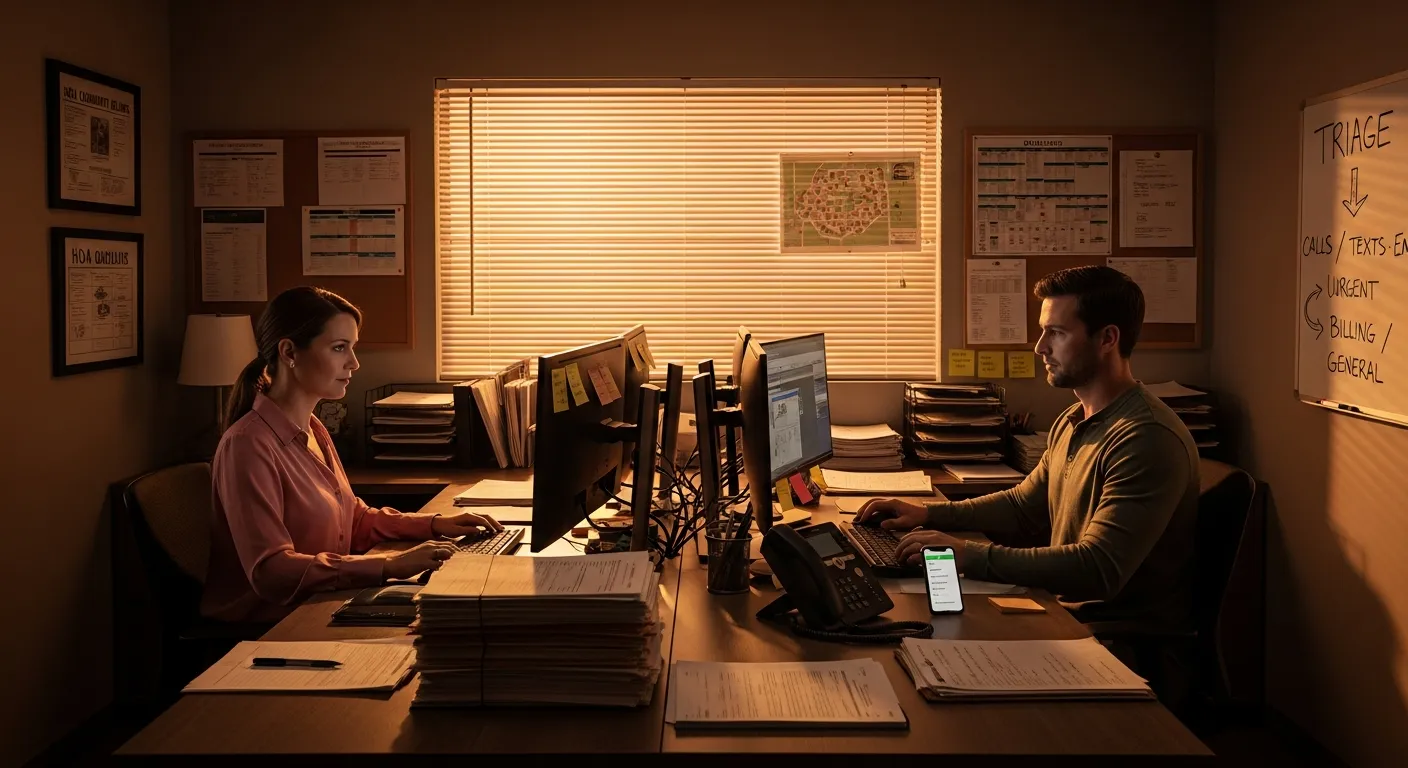
A two-person management office handling eight hundred homes has a volume problem that looks like a communication problem. Calls stack up before 9 a.m. Emails arrive overnight. A homeowner texts about a leak while another leaves a voicemail about a noise complaint and a third emails asking why their dues payment hasn't posted. By mid-morning, staff are already behind, responses are inconsistent, and nothing is documented well enough to protect the association if a dispute turns legal. For HOA property managers running lean teams, this is the daily reality, not the exception. This playbook lays out a repeatable system for managing high-volume HOA communication without adding headcount or letting anything fall through the cracks.
The System HOA Property Managers Use to Stay Ahead
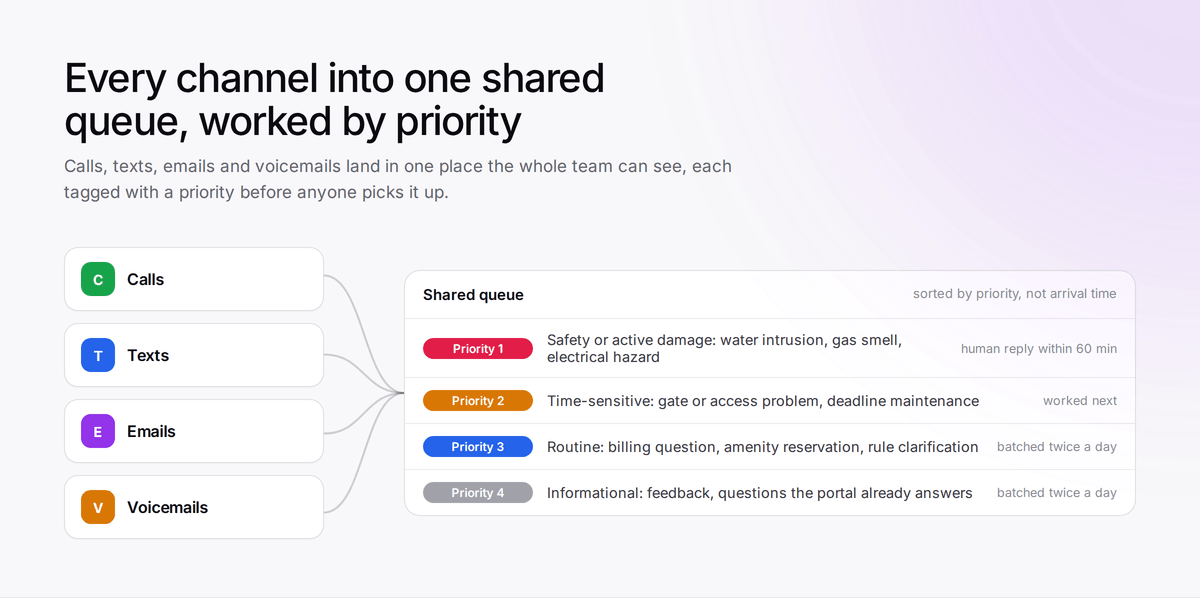
- Triage every channel into one queue. Calls, texts, emails, and voicemails all land in a single shared workspace, not individual inboxes or sticky notes.
- Classify each contact before you respond. Is this urgent maintenance, a billing question, a violation dispute, or general information? The category drives the response path.
- Respond by priority, not arrival order. Urgent safety issues go first; informational requests get handled in batches.
- Log every interaction to the homeowner's record automatically. No manual entry. No gaps.
- Use templates for the top ten request types. Staff personalize the opening line; the rest is pre-written and approved.
- Review the queue daily and the metrics weekly. Adjust staffing, templates, and routing before backlogs become board complaints.
Building a Single Homeowner Communication Queue Across Every Channel
The most damaging habit in small management offices is letting each channel live in its own silo. One staff member monitors the office phone, another checks the Gmail inbox, and texts to the manager's cell phone never make it into any system. When a homeowner follows up three days later, nobody has the full picture.
The fix is a shared inbox for property managers that pulls every inbound channel — phone calls, voicemails, SMS, and email — into one chronological queue visible to the whole team. Platforms built for this environment capture the raw contact, attach a transcription or summary, and link it to the homeowner's record automatically. This matters for daily efficiency and for liability: if a homeowner later claims they reported a hazard and nobody responded, you need a timestamped log, not someone's memory.
The post on why every team needs a shared inbox for email and text covers the operational case in more detail. For a look at phone system options at different price points, the best phone systems for HOA management companies comparison is a useful starting point.
What done looks like: Every inbound message, regardless of channel, appears in one queue within five minutes of receipt, tagged to a homeowner contact record, and visible to any authorized staff member.
The Homeowner Request Triage System That Keeps Priorities Straight
Not every message deserves the same urgency or the same responder. Before anyone types a reply or returns a call, the message needs a category. Skipping this step is where most offices end up with inconsistent response times and misrouted issues.
A workable homeowner request triage system for most HOA offices looks like this:
- Priority 1 — Safety or active damage: Water intrusion, gas smells, electrical hazards, security issues. Respond within one hour. Escalate to emergency maintenance immediately.
- Priority 2 — Time-sensitive requests: Maintenance requests with a deadline, gate or access problems, payment disputes affecting amenity access. Respond same business day.
- Priority 3 — Routine requests: Billing questions, amenity reservations, rule clarifications, work order status updates. Respond within one business day.
- Priority 4 — Informational or FYI: General feedback, compliments, questions already answered in the resident portal. Respond within two business days or via an automated portal link.
If your phone system supports auto-attendant menus, you can collect this classification before a staff member ever touches the contact. HOA call routing strategies that direct a caller pressing "1 for maintenance emergencies" differently from one pressing "3 for billing questions" cut down on misrouted contacts significantly. The call routing strategies for HOAs and property managers post covers how to structure those menus to reduce complaint volume rather than just redirect it. The Community Associations Institute also publishes general guidance on association management practices worth reviewing when you set office-wide policy.
What done looks like: Every item in the queue has a priority tag and a category before a staff member picks it up. No unlabeled items sit unassigned for more than fifteen minutes during business hours.
Responding by Priority, Not Arrival Order
First in, first out feels fair but it is not efficient for high-volume HOA communication. A billing question that arrived at 8:02 a.m. should not block a water intrusion report that came in at 8:45 a.m.
Staff should work the queue sorted by priority level, not timestamp. This requires a brief cultural shift for teams used to handling email in order of receipt, but it produces measurably better outcomes within the first week.
For after-hours and overflow situations, weigh whether a live answering service or an AI-based option fits your volume and budget. The comparison between AI answering services and live receptionists breaks down the real cost and capability differences. Property managers evaluating fit will find the complete guide to AI answering services for property managers a practical next read.
A few rules that help:
- No Priority 1 contact waits more than sixty minutes for a human response during business hours.
- Batch Priority 3 and 4 responses into two daily windows — mid-morning and mid-afternoon — rather than handling them one at a time throughout the day.
- Use voicemail transcription so staff can read a message in ten seconds and classify it without listening to the full recording every time.
What done looks like: At any point during the day, the Priority 1 and 2 queues are empty or actively being worked. Priority 3 and 4 items have scheduled response windows on the calendar.
Logging Every Interaction Without Manual Entry
Documentation is the part of HOA property management communication that gets skipped when staff are busy, and it's exactly the part that matters most when a dispute escalates. Boards have faced legal exposure when they couldn't produce a record of who called, what was said, and when a response went out.
The goal is a system where logging happens as a byproduct of the communication, not as a separate task. Call transcription, SMS thread capture, and email threading tied to a per-homeowner timeline make this possible without adding work at the point of contact. When any team member can pull up a homeowner's full history before a follow-up call, the quality of that conversation improves right away.
The post on how to track every call, email, and text without a paper trail explains the mechanics in detail, including what to check when evaluating whether your current platform actually captures everything.
What done looks like: Any staff member can pull up a homeowner's record and see every interaction in chronological order — calls, texts, emails, and voicemails — with no gaps and no manual data entry required.
HOA Management Communication Templates for the Top Ten Request Types
Writing a fresh response to every homeowner message wastes time and creates a consistency risk. Two staff members handling the same violation question shouldn't send substantively different answers. HOA management communication templates solve both problems.
Start by pulling your last sixty days of outbound messages and identifying the ten types that account for 70 to 80 percent of your volume. Common categories include:
- Maintenance request acknowledgment
- Work order status update
- Dues payment confirmation
- Violation notice — first contact
- Violation notice — follow-up
- Amenity reservation confirmation
- After-hours emergency acknowledgment
- Architectural request received
- General rule clarification
- Meeting or event reminder
For violation notices specifically, pre-approved language for parking, trash, and landscaping issues saves significant time and keeps tone consistent. The HOA violation notice text templates post has ready-to-use language you can adapt directly.
Build each template with three parts: a one-line personalization placeholder at the top where staff fill in the homeowner's name and one specific detail, standard body copy approved by the board or association attorney, and a standard closing with contact information. Staff should be able to send a Priority 3 response in under two minutes using this structure.
If you're sending outbound texts at volume, keep your 10DLC registration current and your consent records clean. The TCPA compliance playbook for property managers covers the 2025 consent requirements that apply to HOA SMS campaigns, and the FCC's overview of the Telephone Consumer Protection Act is the primary source worth bookmarking.
What done looks like: A shared template library in your communication platform or shared drive, reviewed and approved by management, updated every quarter. No staff member writes a first draft for a routine request type.
Metrics and Accountability
You can't manage volume you aren't measuring. The metrics below give a small office team enough visibility to catch problems before they escalate to board complaints.
| Metric | Definition | Target Range |
|---|---|---|
| First response time (Priority 1) | Time from contact receipt to first human response | Under 60 minutes |
| First response time (Priority 2–3) | Time from contact receipt to first human response | Under 4 business hours |
| Same-day resolution rate | Percentage of contacts fully resolved the day they arrive | 60–75% |
| Queue backlog at end of day | Open Priority 1 and 2 items unresolved at close of business | Zero |
| Repeat contact rate | Homeowners who contact about the same issue more than once in 7 days | Under 15% |
| Documentation completeness | Percentage of contacts with a logged note or auto-captured transcript | 100% |
Review these weekly, not monthly. A spike in repeat contact rate usually means a response template is unclear or a work order is stalling. A spike in first response time on Priority 1 contacts usually means after-hours routing is broken or a staff member is absent without backup coverage. Monthly reviews catch problems too late; weekly reviews let you correct course before homeowners notice.
Common Failure Modes and How to Prevent Them
Texts to personal cell phones. A manager's personal number becomes the default contact point for several homeowners. When that manager goes on vacation or leaves the role, the conversation history disappears. Prevention: publish only the office line and a shared SMS number. Texts to personal numbers get redirected with a one-time message pointing the homeowner to the official channel.
Templates that go stale. A violation notice still references a bylaw amended two years ago. A payment confirmation references a bank account that changed. Prevention: assign one person to review every template at the start of each quarter and put it on the calendar as a recurring task.
Inconsistent classification. One staff member treats every noise complaint as Priority 1. Another sends them all to Priority 3. Homeowners get wildly different response times for the same issue type. Prevention: build a one-page classification guide with examples. New staff read it on day one; existing staff review it when weekly metrics show anomalies.
After-hours gaps. A water leak is reported at 8 p.m. on a Friday. The voicemail sits until Monday morning. Prevention: give Priority 1 contacts an after-hours escalation path, whether that's an answering service, an on-call staff rotation, or an AI system configured to triage emergency calls and send an immediate acknowledgment with emergency maintenance contact information.
Board members operating as a parallel communication channel. Homeowners who can't reach the office call a board member directly. The board member promises follow-up. The management office never hears about it. Prevention: agree with the board at the start of each year on a clear homeowner communication policy, give board members a script for redirecting contacts to the office, and publish the policy in the community handbook.
Frequently Asked Questions
- What is the best way to handle homeowner communication across multiple channels?
- Consolidate every inbound channel — phone, email, SMS, and voicemail — into a single shared inbox. This gives the entire team visibility, ensures nothing is missed, and creates an automatic log without manual entry. Siloed channels are the most common reason small offices lose track of contacts.
- How should HOA property managers prioritize a high-volume contact queue?
- Sort by priority level, not arrival time. Safety and active-damage reports go first, followed by time-sensitive access or payment issues, then routine requests, then informational inquiries. Batching lower-priority responses into two daily windows keeps the queue from fragmenting staff attention throughout the day.
- Do HOA management offices need communication templates?
- Yes, for any request type that appears more than a handful of times per month. Templates reduce response time, keep tone and language consistent, and eliminate the risk of two staff members sending contradictory answers to the same question. Review and update them quarterly to keep references accurate.
- What metrics should an HOA management office track for homeowner communication?
- Focus on first response time by priority tier, same-day resolution rate, end-of-day backlog on Priority 1 and 2 items, repeat contact rate, and documentation completeness. Review these weekly rather than monthly so problems surface before they reach the board.
- How can a small HOA management office handle after-hours contacts?
- The minimum viable solution is a clearly communicated emergency line with a live answering service or on-call rotation for Priority 1 issues. AI-based triage tools can handle initial intake and send automatic acknowledgments with emergency contact details, which reduces the number of issues that actually require a human response at 2 a.m.
Don't try to implement all six steps at once. This week, do one thing: pull your last thirty days of inbound contacts and count how many came through a channel with no automatic log — personal cell texts, individual email accounts, verbal messages passed along by staff. That number is your baseline documentation gap. If it's more than twenty percent of your total contact volume, fixing that single gap is your first move. Get every channel consolidated into a shared queue with automatic capture, and every other part of this system becomes far easier to execute. Good homeowner communication starts with knowing what you actually received — and right now, most small office teams don't have the full picture.
Written by

Derrick Threatt is an AI Automation Engineer and marketing operations leader who builds AI-driven systems, automations, and data workflows to improve revenue, operations, and team productivity.
View all posts →Keep reading.
QuorumVoice for HOA boards
One board number, every resident call on record, and Quill after hours.
See the page →QuorumVoice vs Quo
A sourced side-by-side of Quo and QuorumVoice: channels, AI and pricing.
Read the comparison →QuorumVoice vs Smith.ai
A sourced side-by-side of Smith.ai and QuorumVoice: channels, AI and pricing.
Read the comparison →
5 After-Hours Answering Services for HOA and Property Managers to Consider
Weekend emergencies swamp HOA offices with no clear record of what got handled. Here are 5 after-hours answering options and how to evaluate them.
How to Pick an After-Hours Answering Service for HOA Boards
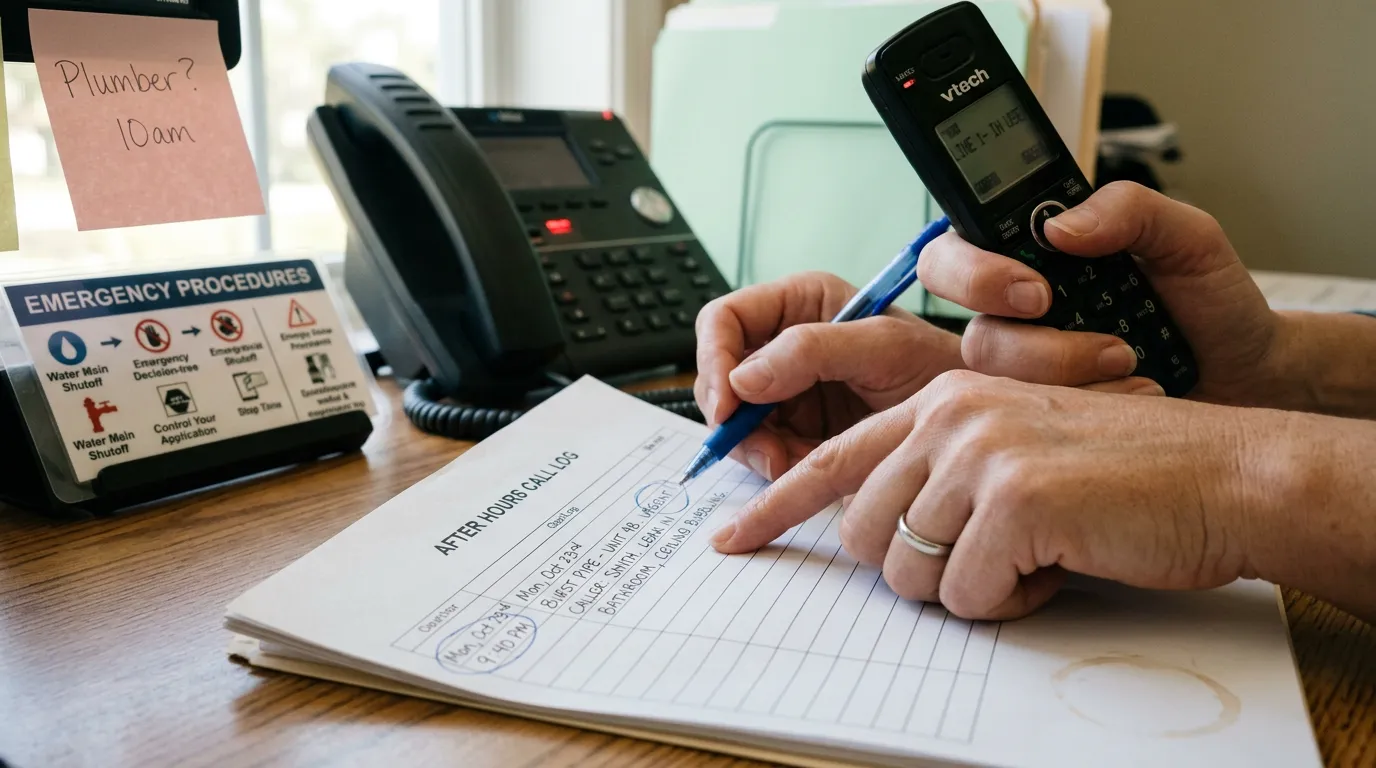
A burst pipe at 9:40pm shouldn't turn into a board complaint. Here's how HOA boards pick, configure, and audit an after-hours answering service.
10DLC Compliance vs Toll-Free Texting: An HOA Buyer's Playbook
HOA texts bouncing as spam? Learn how 10DLC compliance and toll-free texting differ so your community picks the right path fast.