SMS Opt-In Examples & Compliant Templates for HOAs and Property Managers
Copy-paste SMS opt-in examples and compliant templates built for HOAs and property managers, covering 10DLC rules, confirmation texts, and consent tracking.
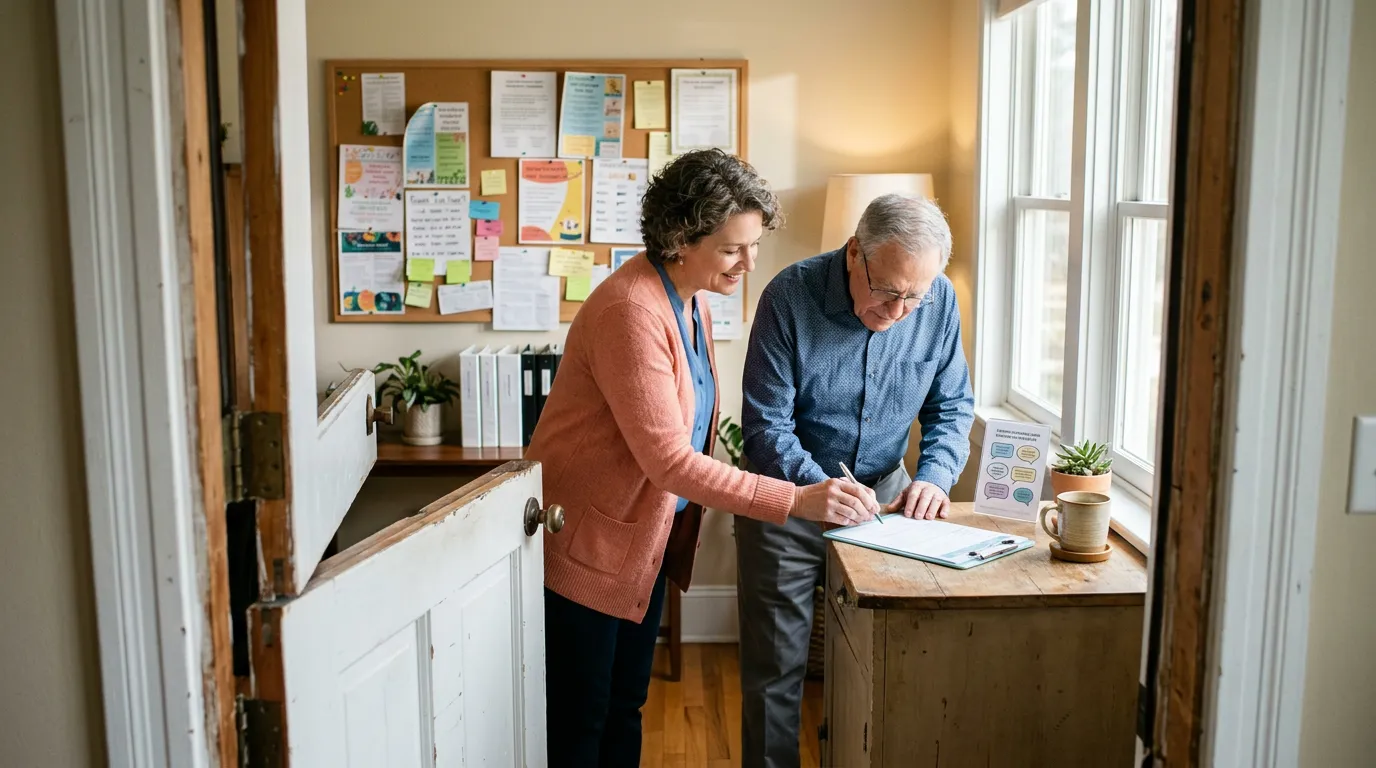
An SMS opt-in is the documented permission a resident, homeowner, or tenant gives before an HOA, community association, or property management company can legally text them. It can happen verbally, on a web form, on paper, by texting a keyword, or through an email link — but no matter the channel, the same rule applies: no permission, no text. This guide gives HOA boards and property managers copy-paste opt-in language, confirmation text templates, and a record-keeping system built for the way communities actually communicate, not for retail marketing lists.
Most of what's published on this topic is written for e-commerce brands sending discount codes to shoppers. A board member reading those examples has to guess how to adapt "20% off your next order" into "your board meeting starts at 7pm." Below, you'll find templates already built for maintenance alerts, meeting notices, amenity bookings, violation follow-ups, move-in onboarding, and emergency lines — plus the compliance mechanics behind 10DLC registration and consent record-keeping.
What Is an SMS Opt-In, and Why Does It Matter for HOAs?
An SMS opt-in is a resident's clear agreement to receive text messages from your association or management company, given before the first message is sent. HOAs need it because the Telephone Consumer Protection Act (TCPA) applies to any organization sending texts, including nonprofits and community associations, not just retail businesses.
A few terms show up constantly in opt-in discussions, and boards often use them loosely. Getting them right protects the association from complaints and carrier blocking:
- Opt-in: The action a resident takes to agree to receive texts — checking a box, replying to a keyword, or signing a form.
- Opt-out: The resident's ability to stop messages at any time, almost always by texting STOP.
- Single opt-in: One step. The resident gives consent once (checks a box, replies YES) and starts receiving messages immediately, with a confirmation text sent afterward.
- Double opt-in: Two steps. The resident requests to join, then must actively confirm (usually by replying YES or Y to a follow-up text) before any further messages go out.
- Implied consent: Consent inferred from an existing relationship, such as a resident giving their number for maintenance follow-up. It's weaker and doesn't satisfy the "express written consent" bar carriers now expect for most campaign types.
- Express written consent: A documented, unambiguous agreement — the resident saw specific language describing what they'd receive and affirmatively agreed to it. This is the standard 10DLC carriers and the TCPA hold organizations to for anything that could be read as promotional or informational bulk messaging.
How 10DLC Registration Affects HOA and Property Management Texting
10DLC (10-digit long code) is the registration system carriers use to approve business text traffic sent from a standard phone number. Every HOA or management company sending SMS through a business line has to register a "campaign" with The Campaign Registry (TCR), describing exactly what it sends and how consent was collected — and carriers reject or throttle registrations that don't show real opt-in language.
When you submit a campaign, TCR and the carriers want to see the exact opt-in screen or form residents used. That form needs five elements to pass review without back-and-forth:
- Program description — a plain statement of what the resident is signing up for (e.g., "maintenance status updates from Maple Ridge HOA").
- Opt-in consent language — a clear checkbox or statement the resident actively agrees to, not a pre-checked box.
- Message frequency disclosure — an estimate like "up to 4 messages per month" or "message frequency varies."
- Message and data rate disclosure — the standard "Msg & data rates may apply" line.
- Opt-out and HELP instructions — a statement that residents can text STOP to cancel and HELP for support, with a link to terms or a privacy policy if you have one online.
If you're weighing 10DLC against a toll-free number for your association's texting, the tradeoffs in registration speed, throughput limits, and vetting requirements are worth comparing before you commit — see our 10DLC vs. toll-free texting playbook for HOAs. For the full registration walkthrough, our 10DLC compliance guide for HOA and property manager texting covers campaign categories, vetting tiers, and common rejection reasons.
The 5 Elements Every Compliant Confirmation Text Must Include
Once a resident opts in, the very first message they receive — the confirmation text — has to carry its own disclosures, separate from the opt-in form. Carriers and regulators treat this message as the resident's last chance to understand what they signed up for. It should include:
- Program name — identify the association or management company by name so the resident knows who's texting.
- Message frequency — repeat the frequency estimate from the opt-in form.
- Data rates disclosure — "Msg & data rates may apply."
- Opt-out instructions — "Reply STOP to cancel."
- HELP instructions — "Reply HELP for help" or a support contact.
Maple Ridge HOA: You're subscribed to maintenance status alerts. Msg frequency varies. Msg & data rates may apply. Reply STOP to cancel, HELP for help.
That single template covers all five required elements in under 160 characters, and it's the pattern every example below follows.
Five Ways to Collect SMS Opt-In From Residents and Tenants
HOAs and property managers gather consent through more channels than a typical retail brand, because residents interact with the board or management office in person, on paper, and online. Each method needs the same disclosures, just delivered differently.
- Verbal opt-in: Collected over the phone, often when a resident calls about maintenance or a violation notice. The staff member reads a short script and logs the date, time, and exact wording used.
- Web form opt-in: A checkbox on the association's resident portal or management company's website, paired with the program description and disclosures listed above.
- Paper form opt-in: Collected at move-in, at the leasing office, or at an annual meeting sign-in table — useful for communities with older residents or lower portal adoption.
- Keyword opt-in: A resident texts a word like JOIN or ALERTS to your business number, usually advertised on a flyer, gate sign, or newsletter.
- Email opt-in: A link inside a welcome email or newsletter that resident clicks to confirm they want text alerts, often used for onboarding new owners.
Regardless of channel, keep the language the resident actually saw — not a paraphrase — because that's the document you'll need if a text is ever disputed.
HOA-Specific SMS Opt-In and Confirmation Templates
These templates are built for the exact situations HOA boards and community managers handle every week. Each pair shows the opt-in language to display on your form, followed by the confirmation text to send once the resident agrees.
Maintenance Request Status Updates
Opt-in: "By checking this box, I agree to receive text updates about my maintenance request status from Maple Ridge HOA. Msg frequency varies. Msg & data rates may apply. Reply STOP to cancel, HELP for help."
Confirmation: Maple Ridge HOA: You're signed up for maintenance request updates. We'll text you when your ticket is scheduled, in progress, or closed. Msg frequency varies. Msg & data rates may apply. Reply STOP to cancel, HELP for help.
Board Meeting Reminders
Opt-in: "I agree to receive text reminders about upcoming board and annual meetings from Cedar Grove Community Association. Up to 2 msgs/month. Msg & data rates may apply. Reply STOP to cancel, HELP for help."
Confirmation: Cedar Grove HOA: You're subscribed to board meeting reminders. Up to 2 msgs/month. Msg & data rates may apply. Reply STOP to cancel, HELP for help.
Amenity Reservation Confirmations
Opt-in: "I'd like to receive text confirmations and reminders for clubhouse and pool reservations from Lakeside HOA. Msg frequency varies by bookings. Msg & data rates may apply. Reply STOP to cancel, HELP for help."
Confirmation: Lakeside HOA: You're set up for amenity booking texts. We'll confirm reservations and send reminders before your time slot. Msg & data rates may apply. Reply STOP to cancel, HELP for help.
Emergency and Safety Alerts
Opt-in: "I want to receive urgent safety and emergency alerts (severe weather, utility outages, security issues) from Ridgeline HOA. Msg frequency varies. Msg & data rates may apply. Reply STOP to cancel, HELP for help."
Confirmation: Ridgeline HOA: You're enrolled in emergency alerts only. We'll text you for urgent, safety-related notices. Msg & data rates may apply. Reply STOP to cancel, HELP for help.
Assessment and Dues Reminders
Opt-in: "I agree to receive text reminders when my HOA assessment is due or past due from Riverbend Owners Association. Up to 3 msgs/month. Msg & data rates may apply. Reply STOP to cancel, HELP for help."
Confirmation: Riverbend HOA: You're subscribed to assessment due-date reminders. Up to 3 msgs/month. Msg & data rates may apply. Reply STOP to cancel, HELP for help.
Rule Violation Follow-Up
Opt-in: "I agree to receive text follow-ups regarding compliance and violation notices from Hillcrest Community Association. Msg frequency varies. Msg & data rates may apply. Reply STOP to cancel, HELP for help."
Confirmation: Hillcrest HOA: You're set up to receive violation follow-up texts, including deadlines and required documentation reminders. Msg & data rates may apply. Reply STOP to cancel, HELP for help.
Double Opt-In Templates for Higher-Sensitivity HOA Campaigns
Double opt-in adds a confirmation step before messages start, and it's worth the extra text for anything that could be mistaken as spam, like newsletters or informational campaigns not tied to a direct resident request. The resident opts in once, then has to reply to a second message before enrollment is final.
Step 1 (after resident submits a keyword or form): Maple Ridge HOA: Reply YES to confirm you want to receive our monthly community newsletter by text. Msg & data rates may apply. Reply STOP to cancel anytime.
Step 2 (after resident replies YES): Maple Ridge HOA: You're confirmed for the monthly newsletter. Msg frequency: 1x/month. Msg & data rates may apply. Reply STOP to cancel, HELP for help.
Single opt-in is generally acceptable — and faster to get through 10DLC vetting — for transactional messages a resident directly requested, like maintenance status or amenity confirmations. Double opt-in is the safer choice for anything recurring or informational that wasn't tied to a specific resident action.
Property Management Opt-In Templates for Tenants and Leases
Property managers handling rentals on behalf of owners face a slightly different set of moments than HOA boards, mostly centered on move-in, lease events, and after-hours support.
Tenant Move-In Onboarding
Opt-in: "I agree to receive text messages about my move-in, unit access, and account setup from Summit Property Management. Msg frequency varies. Msg & data rates may apply. Reply STOP to cancel, HELP for help."
Confirmation: Summit Property Management: You're set up for move-in and account texts. We'll send access codes, key pickup times, and welcome info here. Msg & data rates may apply. Reply STOP to cancel, HELP for help.
Lease Renewal Reminders
Opt-in: "I agree to receive text reminders about my lease renewal deadline and paperwork from Summit Property Management. Up to 3 msgs near renewal. Msg & data rates may apply. Reply STOP to cancel, HELP for help."
Confirmation: Summit Property Management: You're subscribed to lease renewal reminders. Up to 3 msgs as your renewal date approaches. Msg & data rates may apply. Reply STOP to cancel, HELP for help.
After-Hours Emergency Line Consent
Opt-in: "I agree that texts to this after-hours emergency line may be used to coordinate urgent maintenance issues (no heat, flooding, lockouts) from Summit Property Management. Msg & data rates may apply. Reply STOP to cancel, HELP for help."
Confirmation: Summit Property Management: You've reached our after-hours emergency line. Text here for urgent maintenance issues only. Msg & data rates may apply. Reply STOP to cancel, HELP for help.
If you're deciding whether an after-hours line should be staffed by a person, an answering service, or an AI receptionist, our practical guide to human vs. AI virtual receptionists for HOA boards compares the tradeoffs directly.
A Paper-Form Consent Template for Move-Ins, Meetings, and Leasing Offices
Paper sign-up sheets at annual meetings or leasing offices need the same five disclosures as a digital form. Print this language on your sign-in sheet or new-owner packet:
[Association/Company Name] Text Message Consent
I agree to receive text messages from [Association/Company Name] regarding: ☐ Maintenance updates ☐ Meeting reminders ☐ Amenity bookings ☐ Emergency alerts ☐ Assessment reminders (check all that apply)
Message frequency varies by topic selected above. Message and data rates may apply. Reply STOP at any time to cancel, or HELP for assistance.
Name: ______________ Phone: ______________ Address/Unit: ______________
Signature: ______________ Date: ______________
The checkbox list matters more than it looks. It lets one resident opt into emergency alerts without also being enrolled in meeting reminders or newsletters — which is exactly the kind of mixed consent boards run into constantly.
How to Document and Store SMS Consent Records
A consent record needs to show what the resident saw, when they agreed, and through which channel — not just that a text was sent. If a resident later disputes receiving a message, this record is what protects the association or management company.
| Field | Why it matters |
|---|---|
| Timestamp of consent | Shows exactly when the resident opted in, relative to when messages started |
| Channel used | Verbal, web form, paper form, keyword, or email — needed to reconstruct the interaction |
| Exact language shown | The precise opt-in text or script the resident agreed to, not a summary |
| Program/category selected | Which message type(s) the resident opted into (maintenance, meetings, emergency, etc.) |
| Phone number and name | Ties the consent record to a specific resident and number |
For most communities, a dedicated tab in a spreadsheet or a note field in whatever HOA or property management software you already use is enough, as long as every entry captures the five fields above consistently. The goal isn't a new system — it's a habit of logging consent the same way every time it's collected, whether that's the front desk, a board member, or an online form.
Handling Mixed-Use Consent: Emergency Alerts vs. Meeting or Promotional Texts
It's common for a resident to want emergency alerts but nothing else — no meeting reminders, no newsletter, no amenity promotions. Treat each message category as its own opt-in rather than one blanket "yes," using the checkbox-style paper and web form templates above. That way a resident who only checked "Emergency alerts" never receives a board meeting reminder, and your records show exactly which category each message belongs to.
This distinction also matters for 10DLC registration: carriers evaluate campaigns by category, so an emergency-alert campaign with narrow, safety-focused language is reviewed differently than a general informational campaign covering meetings and newsletters. Registering them separately, with separate opt-in language, keeps both campaigns easier to approve and easier to audit later.
How QuorumVoice Turns Consent Documentation Into a Byproduct of Normal Operations
Most consent record-keeping falls apart not because boards don't care, but because logging it is a separate step someone forgets to do after a busy call or a fast text exchange. A dedicated business phone line built for this — like QuorumVoice — timestamps and logs every inbound and outbound text automatically to a per-contact timeline, alongside calls, voicemails, and emails with that same resident.
That means when a resident opts in through a text reply, a phone call, or an emailed link, the exact message and the exact time are already sitting on their contact record — no separate spreadsheet entry required to reconstruct it later. QuorumVoice doesn't manage violations, dues, or documents, and it isn't a replacement for your HOA or property management software; it works alongside whatever system you already use for those, while making sure the communication trail — including consent — is captured without extra manual work. For boards juggling a high volume of resident calls and texts, our post on how HOA property managers handle high-volume homeowner communication goes deeper on the operational side of this.
Do HOA Boards Need to Follow TCPA and 10DLC Rules When Texting Residents?
Yes. TCPA applies to any organization — HOAs, community associations, and property management companies included — that sends text messages to residents, regardless of whether the messages are promotional or purely informational. Carriers also require 10DLC campaign registration for any business number sending SMS at volume, so both consent and registration matter even for small associations.
What Counts as Express Written Consent for an HOA Text Message Campaign?
Express written consent means the resident saw specific language describing exactly what texts they'd receive — program name, frequency, and opt-out instructions — and actively agreed, typically by checking an unchecked box, signing a form, or replying YES to a keyword. A verbal "sure, that's fine" without documentation generally isn't sufficient for anything beyond narrowly related transactional follow-up.
Can an HOA Text Residents Without Their Permission if It's an Emergency?
Emergency messages get more leeway under the TCPA than marketing texts, but "emergency" has a narrow legal meaning tied to imminent safety threats, not general community updates. The safer approach for most HOAs is to collect a simple emergency-alert opt-in in advance — through a paper form, portal, or keyword — rather than relying on an emergency exception after the fact.
How Should an HOA Store SMS Opt-In Records in Case a Resident Complains?
Store the timestamp, collection channel, exact consent language shown, and the message category the resident agreed to, in a consistent place — a spreadsheet tab, a CRM note, or a communications platform that timestamps messages automatically. The record should let anyone pull up, within minutes, proof of what a specific resident agreed to and when.
What Is the Difference Between Single and Double Opt-In for HOA Communications?
Single opt-in enrolls a resident after one action, like checking a box or replying to a keyword, followed by a confirmation text. Double opt-in requires a second confirming reply before messages begin. HOAs typically use single opt-in for transactional texts residents directly requested (maintenance, bookings) and double opt-in for recurring informational content like newsletters.
Can a Property Manager Use One Phone Number for Both Resident Texts and Board Calls Without Separate Opt-In Processes?
Yes, one business number can handle both, but each messaging use case still needs its own consent and, often, its own registered 10DLC campaign category. Voice calls to board members don't require SMS opt-in at all — opt-in rules apply specifically to text messaging, not phone calls placed from the same line.
What Should an HOA SMS Opt-In Form Include to Pass 10DLC Registration?
A compliant form needs a program description explaining what the resident is signing up for, clear consent language tied to an unchecked box, a message frequency estimate, a message-and-data-rates disclosure, and opt-out/HELP instructions. Carriers reject registrations that omit any of these five elements or that use vague, pre-checked, or bundled consent language.
Every template above is ready to drop into a resident portal, printed sign-up sheet, or welcome email today, but the templates only hold up if the consent behind them is documented consistently. Start by matching your current message types — maintenance, meetings, bookings, emergencies, dues, violations — to the checkbox-style consent language here, then decide how you'll log the timestamp and exact wording for each one. If your current phone or texting setup makes that logging manual and easy to skip, it may be worth comparing tools that capture it automatically as part of everyday calls and texts, such as QuorumVoice, alongside the HOA or property management software you already rely on.
Written by

Derrick Threatt is an AI Automation Engineer and marketing operations leader who builds AI-driven systems, automations, and data workflows to improve revenue, operations, and team productivity.
View all posts →Latest from the blog. Keep reading.
View all →
Best Phone Systems for Small Business in 2025: Honest Picks for Teams That Can't Afford to Miss a Call
HOA and property management offices need more than sales-team phone tools. See how Allo, OpenPhone, Dialpad, Nextiva, and QuorumVoice handle resident calls.

40 HOA & Property Management Text Message Templates (Copy-Paste Ready)
40 copy-paste HOA and property management text templates for missed calls, maintenance updates, dues reminders, and after-hours compliance.

AI Answering Service Cost in 2025: What HOA Boards and Property Managers Actually Pay
AI answering service cost ranges from $30 to $500 monthly. See what HOA boards and property managers actually pay across flat-rate, usage-based, and hybrid plans.