Human vs. AI Virtual Receptionist: A Practical Guide for HOA Boards and Community Managers
AI receptionist vs virtual receptionist: how HOA boards weigh human answering services, auto-attendants, and AI for cost, volume, and availability.
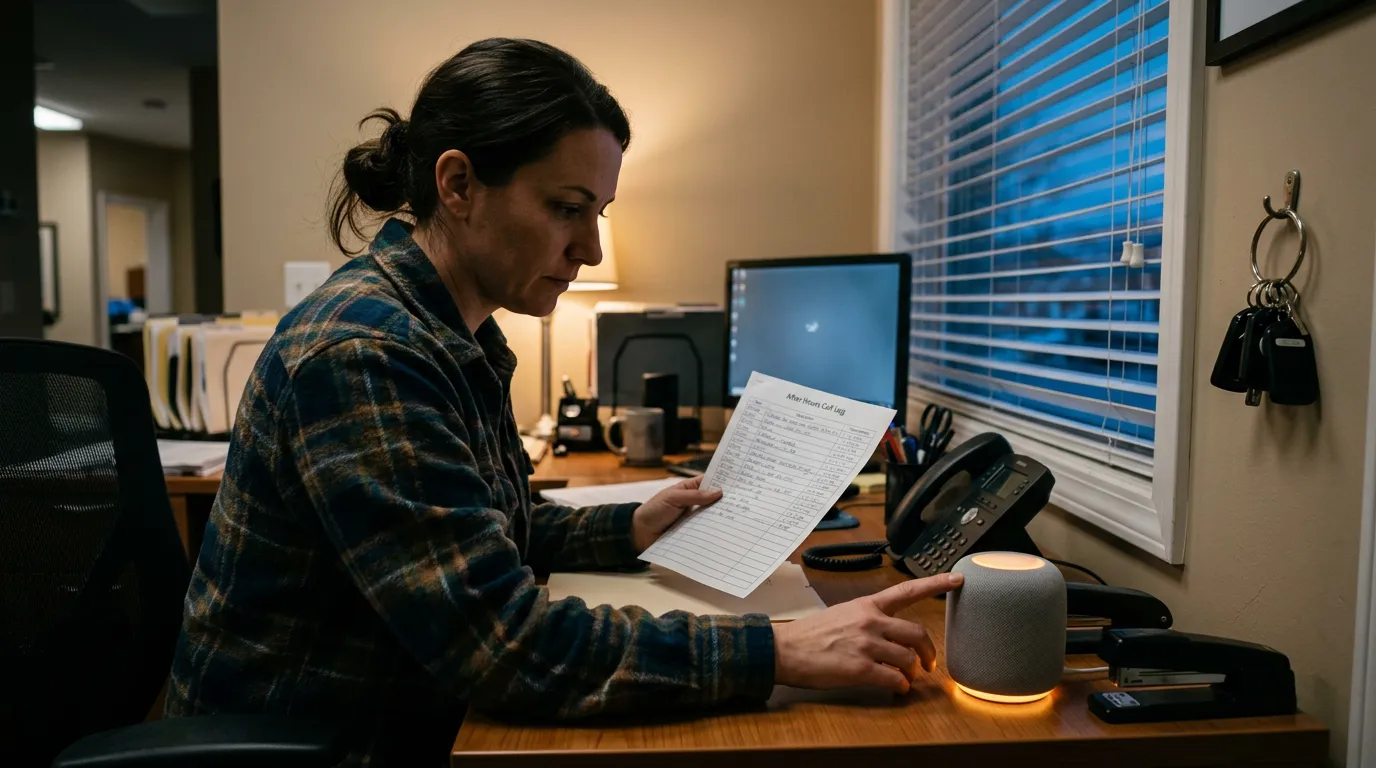
A virtual receptionist answers calls for an organization without anyone sitting at a physical front desk. The call comes in, the caller's need gets identified, and the call is routed, answered, or logged — all without a dedicated staff member picking up the phone in an office. There are three distinct types: a human answering service (live agents, usually working for a third-party call center), an auto-attendant (the classic "press 1 for..." phone tree), and an AI receptionist (software that understands natural speech, answers questions, and takes action). For HOA boards and community managers fielding noise complaints, gate code requests, and after-hours maintenance calls, the right choice has less to do with brand names and more to do with call volume, budget, and how sensitive a typical call tends to be.
What Is the Difference Between a Human Virtual Receptionist and an AI Receptionist?
A human virtual receptionist is a live agent, usually employed by a remote answering service, who answers calls under your organization's name and follows a script or knowledge base. An AI receptionist is software — a voice system such as QuorumVoice's Quill — that answers instantly, handles any number of calls at once, understands natural speech, and logs every interaction automatically. Humans read tone and handle emotionally charged disputes better; AI wins on speed, availability, and cost per call.
For most HOAs, the practical difference shows up during a Saturday night sprinkler leak or the week annual meeting notices go out and the phone won't stop ringing. A human answering service needs enough staff on shift to take every call live. An AI receptionist answers the first ring and the fiftieth ring identically, at the same monthly cost.
The Three Types of Virtual Receptionists, Compared
Here is how the three options stack up on the factors that matter most to a board or a small management company deciding where to put its phone budget.
| Factor | Human Answering Service | Auto-Attendant | AI Receptionist |
|---|---|---|---|
| Availability | Business hours standard; 24/7 costs more | 24/7, but scripted and static | 24/7 at no extra charge, adapts to the question asked |
| Cost | Roughly $1–$2 per minute, or bundled plans from about $300 to $1,200+/month | Usually bundled free or low-cost with a phone system | Typically $50–$400/month by call volume tier, with per-minute overages above that |
| Simultaneous calls | Limited to agents on shift; extra calls queue or go to voicemail | Unlimited, but only routes — it doesn't converse | Unlimited, each call handled independently |
| Customization | Script-based, moderate; changes require re-training agents | Menu tree only, low | Trained on your FAQs, policies, and escalation rules; high |
| Best for | Sensitive disputes, high-emotion or legal-adjacent calls | Simple call routing in larger offices with a full-time front desk already | High call volume, repetitive FAQs, after-hours coverage, budget-conscious boards |
For a deeper side-by-side across live agents, AI-first vendors, and hybrid setups aimed specifically at property management call volume, see this comparison of property management answering services.
What Does a Virtual Receptionist Actually Do for an HOA?
Regardless of type, a virtual receptionist performs five core jobs: answering the call promptly, routing it to the right person or department, handling frequently asked questions without a transfer, covering the phone after hours and on weekends, and capturing a message or voicemail when no one is available to help live. What makes this different for a community association is the shape of the calls themselves. A typical HOA phone line fields:
- Noise complaints and neighbor disputes that need to be logged, not necessarily solved on the spot
- Maintenance requests that range from routine (a burned-out streetlight) to urgent (a broken gate motor trapping cars)
- Amenity reservation questions — pool hours, clubhouse booking, guest passes
- Gate code and access questions from residents, guests, and delivery drivers
- Board meeting schedules, agenda questions, and where to submit comments
- Assessment and dues questions that usually need to be redirected to a payment portal
Call volume also spikes seasonally in ways a general office never sees — pool season openings, landscaping disputes in spring, and the weeks around the annual meeting when every homeowner with a proxy question calls at once. A phone setup that works fine in February can buckle in May. That seasonal swing is one of the strongest arguments for a system priced by subscription rather than staffed hours, since it doesn't require hiring up and down with the calendar.
How Much Does a Virtual Receptionist Cost for a Small HOA or Property Management Company?
Live answering services typically bill per minute — often $1 to $2 per minute — or offer bundled monthly plans that run roughly $300 to $1,200 or more depending on call volume and hours of coverage. AI receptionist subscriptions generally run $50 to $400 a month based on call volume and features, with overage fees once you exceed the plan's included minutes. Auto-attendants are usually bundled free or at low cost inside a standard VoIP phone plan.
The volatility matters as much as the sticker price. A per-minute human service can look affordable in a quiet month and then double in cost the week a contentious special assessment vote generates a flood of calls. A flat AI subscription tends to hold steady, which makes budgeting easier for a volunteer treasurer or a manager juggling several community budgets at once. It's worth running the numbers against your actual call logs for a slow month and a peak month before signing an annual contract with either type of vendor.
Pros and Cons of Each Option
Human answering service.
- Pro: handles emotionally difficult calls — harassment complaints, legal threats, grieving residents — with judgment software can't replicate
- Pro: can pick up on tone and improvise outside a script
- Con: cost scales with call volume, which is unpredictable in HOA life
- Con: agents rotate, so institutional knowledge about your community is thin unless you invest heavily in training
Auto-attendant.
- Pro: cheap, sometimes free with your phone system
- Pro: fine for pure routing when you already have staff answering during business hours
- Con: can't answer a question or take a real message — just moves the call along a menu
- Con: frustrating for residents with an urgent issue at 11 p.m. who just hear a menu loop
AI receptionist.
- Pro: flat, predictable pricing regardless of call spikes
- Pro: answers instantly, every time, including nights, weekends, and holidays
- Pro: can be trained on your specific pool hours, gate policy, and escalation rules
- Con: still maturing at handling highly emotional or ambiguous conversations
- Con: not a substitute for nuanced, multilingual conversation in communities where that's a frequent need
Can an AI Receptionist Work With My Existing HOA Management Software?
Yes. An AI receptionist is a communications layer, not a management platform — it doesn't replace AppFolio, Buildium, TOPS, or Enumerate; it answers and routes phone calls, then logs what happened. QuorumVoice, for example, sits alongside whatever HOA or property management software a board or manager already runs, capturing every call, voicemail, text, and email to one timeline per resident or address without touching payments, violations, or documents.
That distinction matters because a lot of HOA phone problems aren't software problems — they're visibility problems. A resident calls about a noise complaint, texts a follow-up two days later, then emails a photo. If those three touches live in three different systems, whoever picks up the file next has to reconstruct the story from scratch. A unified contact timeline puts the call recording, the transcript, the text thread, and the email in one place tied to that resident, so a volunteer board member stepping in mid-dispute — or a manager covering a colleague's communities — has the full picture without digging through separate inboxes. For more on choosing software that can absorb this kind of call volume without falling over, see this guide to HOA management software for high call volume offices.
What Types of Calls Can an AI Receptionist Handle for a Community Association?
An AI receptionist can take the intake and routing role on most routine and moderately urgent HOA calls: logging a noise complaint with the address and details, answering amenity and gate code questions from a trained FAQ list, distinguishing an emergency maintenance call (a burst pipe, a stuck gate) from a routine one and escalating the emergency to an on-call number, pointing dues questions to the payment portal, and confirming meeting dates and locations. It cannot process a payment, file a formal violation, or make a judgment call on a legal dispute — those still need a human and the management software's actual workflow.
Boards weighing an AI phone setup against a fully staffed front desk or a traditional call center often find the honest answer is a hybrid: AI handles the volume and the repetitive questions, and a human — board member, manager, or answering service — steps in for anything flagged as sensitive. This overview of AI phone systems for overwhelmed HOA and property managers walks through what that hybrid setup looks like in practice.
When Should an HOA Choose a Human Answering Service Over an AI Receptionist?
A human answering service still makes sense for communities dealing with frequent, sensitive resident disputes — harassment allegations, litigation-adjacent complaints, or situations where a caller needs to feel heard by a person, not a system. It's also the better fit for communities with a significant non-English-speaking population where nuanced, real-time translation matters more than FAQ speed. If your call volume is genuinely low and a person already answers most calls without strain, the cost of adding AI on top may not be worth it yet.
The honest trade-off: AI is faster and cheaper for volume and routine questions, but it isn't the right tool for every conversation a community will have. Many boards land on a mix — AI for after-hours and routine intake, a person for anything flagged as a dispute or a legal matter.
Does an AI Receptionist Record and Transcribe Calls, and Is That Legal?
Yes — most AI receptionists, including Quill, record and transcribe calls by default, since that's how message capture and FAQ answering work. Whether that's legal depends on your state's call recording consent law. Some states only require one party (the business) to consent; others require every party on the call to agree, which means your system needs a compliant disclosure greeting at the start of the call.
Before turning on any recording feature, confirm your state's rule and make sure the vendor supports a disclosure message such as "this call may be recorded for quality and record-keeping." Nolo's state-by-state guide to recording phone calls is a useful starting reference, though a board should confirm current requirements with counsel for anything beyond a routine disclosure greeting. If your community is also texting residents, the same compliance mindset applies to SMS — see this 10DLC compliance guide for HOA and property manager texting for the messaging side of the same issue.
Which Option Fits Your Situation? A Decision Checklist
Run through these questions before picking a vendor or a category:
- What's your average and peak monthly call volume, and how much does it swing seasonally?
- What share of calls are routine (hours, gate codes, reservations) versus sensitive (disputes, legal, emergencies)?
- Do you need multilingual support beyond basic phrases?
- Do you need coverage across multiple communities with different rules, gate codes, and escalation contacts?
- Is your budget better suited to a flat monthly fee or variable per-minute billing?
- Does the option you're considering log calls anywhere useful, or does information die in a voicemail box?
Small, self-managed HOA (volunteer board, no staff). Call volume is usually low but concentrated around specific events — a leak, a board election, an assessment vote — and no one is paid to sit by the phone. An AI receptionist tends to be the practical fit here: it covers nights and weekends without asking a volunteer to be on call around the clock, and it can escalate true emergencies to whichever board member is up that month.
Small professional management company (one manager, 3–6 communities). Call volume multiplies across communities, each with its own gate codes, amenity rules, and board contacts, and one manager can't be the front line for all of it during business hours, let alone after. An AI receptionist that can route by community and keep a separate FAQ set per property, feeding into one unified timeline per resident, tends to free up more of the manager's day than adding another line or another answering-service contract. This look at how HOA property managers handle high-volume homeowner communication goes deeper on that scenario.
How Do I Set Up an AI Receptionist for My HOA or Property Management Company?
Setup generally takes an afternoon, not a project: load your FAQ list, write an after-hours greeting, define escalation rules for emergencies versus general inquiries, and set routing logic if you manage more than one community. The heavier lift is deciding what counts as an emergency worth waking someone up for, versus what can wait for a callback the next business day.
A practical HOA setup checklist:
- FAQ list to load: pool and amenity hours, gate code policy and how guests get access, trash and recycling schedule, parking rules, next board meeting date and how to submit a comment, where to pay dues, how to reserve the clubhouse.
- After-hours greeting script: a short disclosure plus a clear path for urgent issues.
- Escalation rules: define what triggers an immediate transfer or text to an on-call vendor or board member (water intrusion, fire, a gate malfunction trapping vehicles, a security issue) versus what goes to a voicemail queued for the next business day (a general question, a routine maintenance request, a reservation inquiry).
- Routing logic: by community if you manage more than one property, then by call type within each community.
Thank you for calling [Community Name]. This call may be recorded. If this is an emergency involving safety, fire, or flooding, please stay on the line and we'll connect you immediately. For all other questions, including pool hours, gate access, or maintenance requests, I can help you now or take a message for our management team.
Once the greeting, FAQ set, and escalation rules are in place, most boards spend the first few weeks refining based on what the transcripts show residents actually asking — which is usually a shorter, more repetitive list than anyone expects.
Is a virtual receptionist the same thing as an answering service?
Not exactly. "Answering service" usually refers specifically to a human-staffed service, while "virtual receptionist" is the broader category that includes human, auto-attendant, and AI options. Every answering service is a type of virtual receptionist, but not every virtual receptionist involves a live person.
Can residents still reach a live person if they need one?
Yes, in a well-set-up system. Most AI receptionists include an escape route — a caller can ask for a person, or the system detects urgency and transfers or texts an on-call board member or manager directly, rather than trapping the caller in an automated loop.
Does an AI receptionist sound robotic to residents?
Modern AI voice systems use natural-sounding speech and handle interruptions and follow-up questions reasonably well, though voice quality varies by vendor. It's worth listening to a live demo call before committing, since this is one of the biggest differences between vendors in this category.
How long does it take to set up an AI receptionist for an HOA?
Basic setup — greeting, FAQ list, and escalation rules — typically takes a few hours to an afternoon. Fine-tuning based on real call transcripts usually continues for the first few weeks as boards notice questions they hadn't scripted for.
What happens if the AI receptionist can't answer a question?
It should fall back to taking a detailed message or transferring to a human, rather than guessing. This is worth testing directly with a vendor before signing anything — ask what happens when a caller asks something completely outside the loaded FAQ list.
The honest answer to "AI receptionist vs. virtual receptionist" is that AI is one type within the broader virtual receptionist category, and for most HOAs and small management companies, it's the type that best matches unpredictable call volume, tight budgets, and a stack of software that already handles the rest of the job. QuorumVoice's Quill answers and routes calls, texts, and voicemails alongside whatever HOA or property management software you already run, logging every conversation to one timeline per resident so nothing gets lost between the phone, the inbox, and the portal. If you're ready to compare that against a live answering service for your specific call volume, this cost and benefits breakdown of AI answering service versus live receptionist is a good next stop.
Written by

Derrick Threatt is an AI Automation Engineer and marketing operations leader who builds AI-driven systems, automations, and data workflows to improve revenue, operations, and team productivity.
View all posts →Latest from the blog. Keep reading.
View all →
Best Phone Systems for Small Business in 2025: Honest Picks for Teams That Can't Afford to Miss a Call
HOA and property management offices need more than sales-team phone tools. See how Allo, OpenPhone, Dialpad, Nextiva, and QuorumVoice handle resident calls.

40 HOA & Property Management Text Message Templates (Copy-Paste Ready)
40 copy-paste HOA and property management text templates for missed calls, maintenance updates, dues reminders, and after-hours compliance.
SMS Opt-In Examples & Compliant Templates for HOAs and Property Managers
Copy-paste SMS opt-in examples and compliant templates built for HOAs and property managers, covering 10DLC rules, confirmation texts, and consent tracking.