Phone Tree Templates for HOAs and Property Managers: 6 Ready-to-Use Scripts (Copy & Paste)
Six copy-paste phone tree scripts built for HOA offices and property managers, covering daytime routing, after-hours emergencies, and bilingual callers.
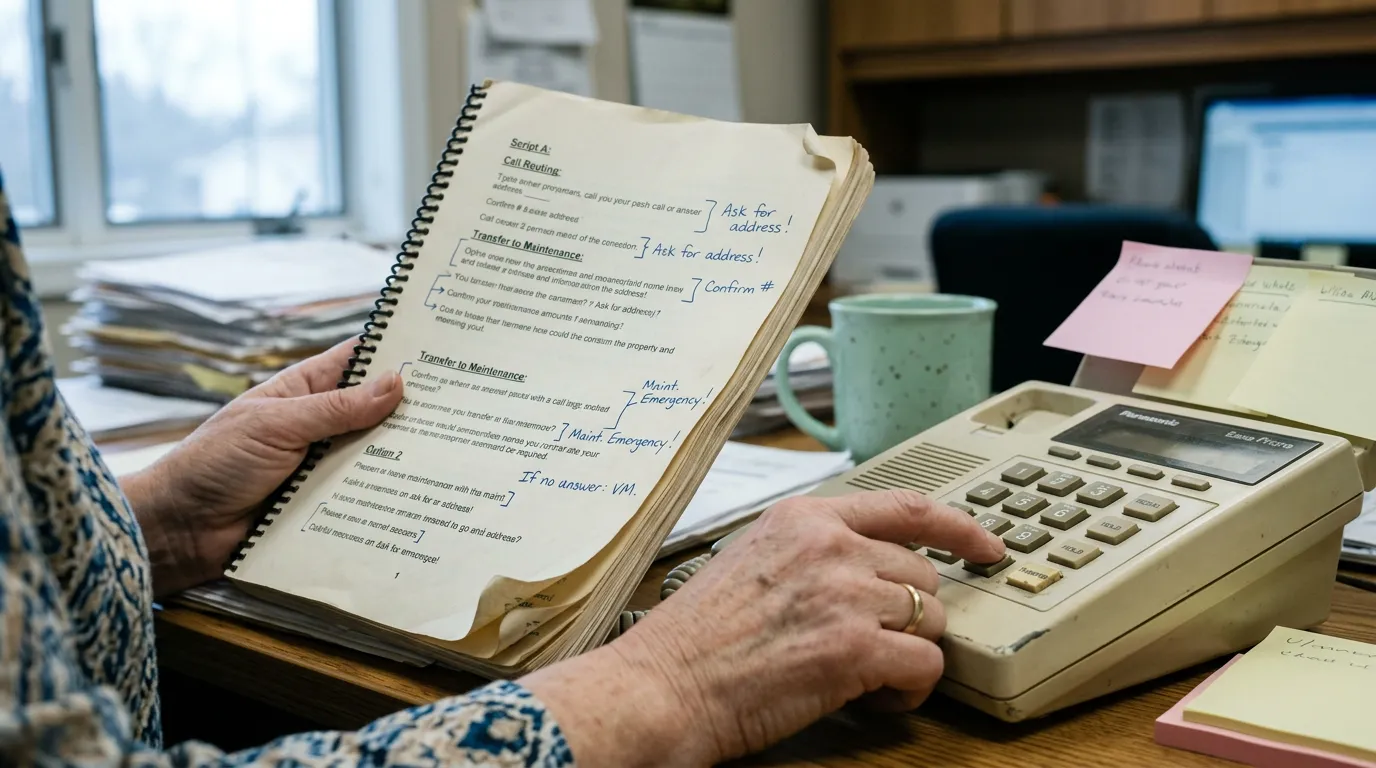
Most phone tree guides are written for sales teams and call centers. An HOA office or small property management company has a different problem: a handful of staff (sometimes just one person), a volunteer board, and residents who call about gate codes, leaking roofs, pool hours, and overdue assessments — often after 5 p.m. The templates below are built for that reality. Copy the wording into your phone system, voicemail box, or auto-attendant settings today, fill in the bracketed details, and record.
What a Phone Tree Is (and How IVR Menu Routing Works)
A phone tree is the map of what happens to a call after someone dials your number — who hears what greeting, which key sends them where, and what happens if nobody answers. The technology that plays the recording and routes the call based on a keypress is the interactive voice response (IVR) system, sometimes called an auto-attendant. For a small HOA office, the tree is usually shallow: one main greeting, four or five options, and a fallback to voicemail or an after-hours line.
How to Map Your Call Tree Before You Record Anything
Before you touch a recording app, write down every reason a resident calls your office, then group those reasons into four to six buckets. Decide where each bucket should land — a staff extension, a shared voicemail box, a work-order inbox, or an after-hours escalation — and write that down as a simple table. Recording a greeting before you've mapped the tree is how offices end up with menus that route calls to the wrong desk or dead-end at a mailbox nobody checks.
| Caller need | Keypress | Routes to |
|---|---|---|
| General inquiry / administration | 1 | Front office voicemail or staff line |
| Maintenance / common-area request | 2 | Maintenance coordinator or work-order line |
| Amenity reservation | 3 | Reservation voicemail |
| Assessment / payment question | 4 | Billing voicemail or payment portal |
| Gate or access issue | 5 | Office or gate vendor |
| Continue in Spanish | 6 | Spanish-language branch |
| After-hours emergency | 1 (on after-hours menu) | On-call contact or AI answering line |
Standard (General-Inquiry) Phone Tree Template for a Small HOA Office
This is the daytime tree: the greeting callers hear during business hours, plus the five branch messages most offices need.
Main auto-attendant greeting (business hours)
Thank you for calling [COMMUNITY NAME] Homeowners Association. Our office hours are [DAYS] from [START TIME] to [END TIME]. For general questions about your account or the community, press 1. For maintenance or a common-area repair request, press 2. To reserve the clubhouse, pool, or another amenity, press 3. For questions about your assessment or a payment, press 4. For gate or access issues, press 5. To continue in Spanish, press 6. If this is an emergency, please hang up and dial 911.
Use this as your top-level greeting. Keep it under 20 seconds when read aloud, and update the office hours line whenever they change for a holiday.
Option 1 — General inquiries / front office
You've reached the front office for [COMMUNITY NAME]. Please leave your name, address, phone number, and a brief message, and a member of our team will return your call within [ONE BUSINESS DAY]. If you need to reach a board member directly, visit [WEBSITE] for contact information.
Use this as the voicemail greeting for your main administrative mailbox. If your board members handle their own calls, swap the website line for a direct reference to your board contact process.
Option 2 — Maintenance and common-area requests
You've reached the maintenance line for [COMMUNITY NAME]. If this is a common-area emergency such as a gas leak, fire, flooding, or a downed power line, hang up and call 911 first, then call our emergency line at [EMERGENCY PHONE]. For a non-urgent repair — a broken sprinkler, a light out, a fence that needs attention — please leave your name, address, and a description of the issue, and our maintenance coordinator will follow up within [TIMEFRAME].
Use this whether maintenance requests go to a staff member, a vendor dispatch line, or a work-order system. Customize the emergency threshold examples to match your community's most common issues (irrigation, elevators, retaining walls, etc.).
Option 3 — Amenity reservations
You've reached the amenity reservation line for [COMMUNITY NAME]. To reserve the clubhouse, pool pavilion, or [OTHER AMENITY], please leave your name, lot or unit number, the date and time you'd like to reserve, and a callback number. Reservations are confirmed in the order received and typically require [NUMBER] business days' notice.
Use this for any community with bookable shared space. If reservations go through an online portal instead, replace the last two sentences with the portal link and keep this line as a backup for residents who prefer calling.
Option 4 — Assessment and payment questions
You've reached the billing line for [COMMUNITY NAME]. For your balance, to set up a payment plan, or to ask about a recent payment, please leave your name, address, and the best number to reach you, and our accounts team will call back within [TIMEFRAME]. You can also view your balance or make a payment at [PORTAL LINK].
If your association offers payment plans, pair this script with a written explanation of eligibility — our guide on HOA payment plans covers what homeowners can typically ask for and how to document an arrangement once a resident calls in.
Option 5 — Gate and access issues
You've reached the gate and access line for [COMMUNITY NAME]. If the gate is currently stuck open or closed and blocking traffic, please stay on the line and we will connect you to our after-hours gate vendor. For a lost or malfunctioning remote, fob, or access code, leave your name, address, and phone number, and our office will follow up within [TIMEFRAME].
Use this for gated communities. If you don't have a live transfer option during business hours, replace "stay on the line" with a direct phone number for your gate vendor.
Spanish-language branch greeting
Ha llamado a la oficina de [NOMBRE DE LA COMUNIDAD]. Nuestro horario de atención es de [DÍAS] de [HORA DE INICIO] a [HORA DE CIERRE]. Para preguntas generales, oprima 1. Para solicitudes de mantenimiento, oprima 2. Para reservar una amenidad, oprima 3. Para preguntas sobre su cuota, oprima 4. Si esto es una emergencia, cuelgue y marque 911.
Add this as a branch off your main menu for any community with a meaningful number of Spanish-speaking residents. Pair it with a Spanish-speaking callback option or a translation line, and see the ADA's guidance on effective communication for broader language-access considerations.
Emergency and After-Hours Phone Tree Template
This is the tree callers reach outside your posted office hours. It should make the 911 instruction impossible to miss and give every other caller a clear next step.
After-hours main greeting (office closed)
You've reached [COMMUNITY NAME] outside of our regular office hours. Our office is open [DAYS] from [START TIME] to [END TIME]. If this is a life-threatening emergency, hang up and dial 911. For an urgent common-area issue — a security gate stuck open, flooding in a common area, or a downed tree blocking a road — press 1 to reach our after-hours line. For all other calls, please leave a message after the tone and our team will return your call on the next business day.
Use this as the greeting that plays any time a call comes in after your office closes, on weekends, and on holidays.
After-hours emergency escalation script
Thank you for calling the [COMMUNITY NAME] after-hours line. I can take down the details of your emergency and get them to our on-call team right away. Can I start with your name and the address or unit number this concerns? Thank you — can you describe what's happening? And what's the best number to reach you at if we need to call back? I've logged this as an after-hours emergency and it's being sent to our on-call contact now. If this becomes life-threatening at any point, please hang up and call 911.
This is the script a live on-call person reads, or the conversation flow an AI answering line follows when staff can't pick up. An answering service like QuorumVoice's AI receptionist, Quill, runs this exact sequence, then logs the name, address, callback number, and summary to that resident's contact timeline and alerts the on-call contact — so the call is recorded somewhere searchable instead of living only in a text message or a sticky note.
Non-emergency after-hours voicemail
Thanks for calling [COMMUNITY NAME]. You've reached us after hours for a non-emergency matter. Please leave your name, address, phone number, and a brief message, and our office will return your call during business hours, [DAYS], [START TIME] to [END TIME]. For true emergencies, please hang up and dial 911.
Use this as the fallback for callers who don't press 1 on the after-hours menu — most calls after 9 p.m. are not emergencies, and this keeps your on-call line free for the ones that are.
After-hours SMS confirmation auto-reply
[COMMUNITY NAME]: We got your after-hours message and logged it for our on-call team. Non-emergencies are handled the next business day. For life-threatening emergencies, call 911. Reply STOP to opt out.
Pair this with your after-hours voicemail so callers get a text confirmation their message was received. For more texting templates and consent language, see our SMS opt-in and compliance templates.
Common-area emergency closure announcement
Due to [REASON], the [AMENITY NAME] is temporarily closed as of [DATE/TIME]. We expect it to reopen [TIMEFRAME/DATE]. We apologize for the inconvenience. For urgent matters, press 1 to leave a message with our office.
Use this as a temporary override on your amenity reservation line during a power outage, pump failure, or storm closure, so residents hear it before reaching a voicemail prompt.
Which Phone Tree Setup Fits Your Office Size
The right tree depends on who's answering it, not just how many residents you have.
- Solo or two-person community manager office: Keep the menu to four options, forward missed calls to a cell phone during the day, and route everything after hours to an AI answering line rather than a personal number that rotates by memory.
- Mid-size management company with multiple communities: Add a property-selection step at the top of the tree ("press 1 for [COMMUNITY A], press 2 for [COMMUNITY B]") before branching into the standard menu, so each community still gets its own greeting and voicemail box.
- Self-managed board with no paid staff: An automated line lets board members rotate on-call duty without publishing personal cell numbers, and it gives every volunteer a record of what was promised to a resident, which matters when board turnover happens.
Best Practices: Short Menus, Office Hours, and Testing Before Launch
- Keep menus to four or five options. Past that, callers hang up or mash zero.
- Match your IVR hours to your actual office hours. Nothing erodes trust faster than a "we're open" greeting playing at 7 p.m.
- Record in a quiet room and read at a normal pace. A rushed greeting is harder to follow on a cell phone with bad reception.
- Test every branch yourself before launch, including the after-hours path, by calling in from an outside line.
- Review the tree twice a year — phone numbers, office hours, and amenity names change more often than offices remember to update the recording.
Traditional vs. Automated Phone Trees: Which Fits a Small HOA Office?
A traditional setup — a desk phone with voicemail boxes and a human answering during the day — works fine for a community with one line and predictable hours, but it leaves after-hours calls to a volunteer's personal cell phone or an unmonitored machine. An automated setup on a VoIP line adds call routing, shared visibility across staff, and in some cases an AI answering layer that picks up every call the office can't, asks the right questions, and logs the result. For most one- or two-person HOA offices and self-managed boards, the automated version costs little more than a basic VoIP line and closes the after-hours gap that traditional voicemail leaves open. See our comparisons of small business phone systems and after-hours answering services for HOAs if you're deciding between the two.
What should an HOA phone tree say for after-hours emergencies?
It should tell callers to hang up and dial 911 for anything life-threatening first, then give a second option for urgent but non-life-threatening common-area issues — a stuck gate, flooding, a downed tree — that routes to an on-call contact or AI answering line. Everything else should go to a next-business-day voicemail so the urgent line stays clear.
How many menu options should a small HOA office phone tree have?
Four to five is the practical limit for a one- or two-person office. Most associations only need general inquiries, maintenance, amenity reservations, billing, and gate/access — anything beyond that usually means two options can be merged or one rarely-used option moved into a voicemail prompt instead of its own key.
Can a self-managed HOA with no staff use an automated phone tree?
Yes. An automated line, including one with AI answering, doesn't require a staffed front desk — it plays the greeting, routes or records the call, and logs the details for whichever board member is on call that week. This is often a better fit for self-managed boards than publishing a rotating personal cell number, since every call is captured in one place regardless of who answers next.
What is the difference between a phone tree and an auto-attendant for a community association?
The phone tree is the map — every possible reason someone calls and where each one should end up. The auto-attendant is the actual system or software that plays the recorded greeting and executes that map by routing the call based on the key a resident presses. You need the tree planned out before the auto-attendant has anything useful to say.
How do I handle maintenance calls after hours without a live answering service?
Record a maintenance-specific after-hours greeting that separates true common-area emergencies (told to call 911 or a vendor directly) from routine repair requests (left as a voicemail for next-business-day follow-up). If you want urgent calls triaged in real time without a staffed line, an AI receptionist built for property management can ask the same questions a human would and route accordingly.
Does a phone tree replace HOA management software?
No. A phone tree and the VoIP system behind it handle how calls are answered and routed; your HOA or property management software still handles payments, violations, architectural requests, and documents. The two work side by side — QuorumVoice, for example, captures and logs every call, voicemail, and text to a per-resident timeline without touching payments or compliance records, so it sits alongside whatever management platform your association already uses rather than replacing it.
Customization Rules: Tone, Length, and Compliance Notes
- Tone: Write the way your staff actually talks. Skip corporate phrases like "your call is important to us" — residents respond better to plain, specific instructions.
- Length: Keep IVR menu greetings under 20 seconds and voicemail greetings between 15 and 30 seconds. SMS templates should stay under 320 characters.
- SMS compliance: Include an opt-out line ("Reply STOP to opt out") on any recurring text, in line with CTIA messaging best practices and the FCC's rules on automated calls and texts.
- Documentation requirement: Some CC&Rs and state statutes require associations to maintain a documented after-hours emergency contact process — see, for example, the record-keeping expectations under Texas Property Code Chapter 209. A phone system that transcribes and timestamps every after-hours call creates the audit trail that satisfies this kind of requirement automatically.
- Accessibility: If your community has a meaningful number of non-English speakers, add the Spanish branch above rather than relying on a bilingual staff member being available when the phone rings. The Community Associations Institute publishes broader resources on resident communication standards worth reviewing alongside your own CC&Rs.
Start with the two templates most offices skip: the after-hours main greeting and the emergency escalation script. Record those first, test them by calling in from your own cell phone, then build out the rest of the tree over the next week using the templates above as your working draft.
Written by

Derrick Threatt is an AI Automation Engineer and marketing operations leader who builds AI-driven systems, automations, and data workflows to improve revenue, operations, and team productivity.
View all posts →Keep reading.
QuorumVoice for HOA boards
One board number, every resident call on record, and Quill after hours.
See the page →QuorumVoice vs Quo
A sourced side-by-side of Quo and QuorumVoice: channels, AI and pricing.
Read the comparison →QuorumVoice vs Smith.ai
A sourced side-by-side of Smith.ai and QuorumVoice: channels, AI and pricing.
Read the comparison →
AI Answering Service for Business: How Quill Works
Most AI answering services just take messages. Quill answers, converses, and logs every call, text, and email to one contact timeline.
Who Is My HOA? How to Find Your Association in Texas
Not sure who your HOA is? Here's how Texas homeowners can identify their association using closing documents, the state management certificate database and county records.
Can My HOA Tow My Car in Texas? What the Towing Law Says
Can your HOA tow your car? Here's what the Texas Towing and Booting Act says about HOA parking areas, required tow-away signs, notice rules and your right to a hearing.